Living with ADHD means your brain works differently. Tasks that seem simple to others can feel like climbing a mountain. You know what you need to do, but starting feels impossible. Time slips away before you realize it. Your phone buzzes, and suddenly you're 20 minutes deep into scrolling instead of working.
Sound familiar? You're not alone.
The good news is that technology can help. Not by "fixing" you---your ADHD brain is already amazing---but by working with how your mind naturally operates. The right apps can transform chaos into clarity, turning overwhelming days into manageable ones.
This guide shares the best ADHD apps available right now. Each tool has been tested by real people with ADHD, and they address specific challenges like time blindness, task paralysis, and staying focused when distractions are everywhere.
What Makes an App ADHD-Friendly?
Before we jump into the list, let's talk about what actually works for ADHD brains.
Generic productivity apps often fall flat because they don't account for executive dysfunction. They assume you can easily prioritize tasks, remember what you're doing, and maintain motivation throughout the day. But ADHD brains need different support.
Great ADHD apps share these qualities:
Simple and Clean Design: Complicated interfaces create friction. When opening an app feels like work, you won't use it. The best tools are intuitive from day one.
Visual Organization: Seeing your schedule, tasks, or progress helps make abstract concepts concrete. Color coding, icons, and timelines work better than plain text lists.
Gentle Reminders: Not aggressive notifications that stress you out, but helpful nudges that keep you on track without overwhelming you.
Flexible Systems: What works today might not work next month. Apps need to adapt as your needs change.
Low Barrier to Entry: The easier it is to capture a thought or start a task, the more likely you'll actually do it.
Now let's explore the tools that nail these principles.
Task Management and Organization Apps
1. Tiimo - Visual Planning Made for Neurodivergent Minds
Get Tiimo
Tiimo won the iPhone App of the Year award in 2025, and for good reason. This app was built specifically for people with ADHD and autism, turning schedules into visual timelines you can actually follow.
Time feels slippery when you have ADHD. Tiimo solves this by showing your entire day as a color-coded timeline with custom icons. Instead of reading "dentist appointment," you see a tooth icon in a blue block at 2 PM. This visual approach makes time feel more concrete.
What makes it special:
- Visual timeline with colors and icons that help you "see" your day
- AI-powered task breakdown that turns overwhelming projects into manageable steps
- Focus timer with countdown that keeps you anchored to the present moment
- Mood tracker to help you understand what supports your focus and energy
- Routine templates so you don't have to plan the same morning or evening routine repeatedly
- Works across iPhone, Android, desktop, and Apple Watch
Best for: Anyone who struggles with time blindness and needs structure without pressure.
Pricing: Free version with essential features. Premium plan available after 7-day free trial.
2. Todoist - Simple Task Management That Just Works
Try Todoist
Todoist has stayed popular for years because it keeps things straightforward. No complicated features, no overwhelming interface---just a clean place to capture and organize your tasks.
The natural language processing is a game-changer for ADHD brains. Type "meeting with Sam next Thursday at 3 p.m." and Todoist automatically schedules it. No clicking through menus or setting up complicated fields.
Key features:
- Natural language input for quick task capture
- Priority levels with color coding
- Recurring tasks for habits and routines
- Project and section organization
- Works seamlessly across all devices
- Karma system that gamifies productivity with points and streaks
Best for: People who find satisfaction in checking off lists and need reliable cross-platform syncing.
Pricing: Free plan available. Pro plan is $4/month (billed annually) or $5/month (billed monthly).
3. Notion - Your Digital Brain Dump
Start with Notion
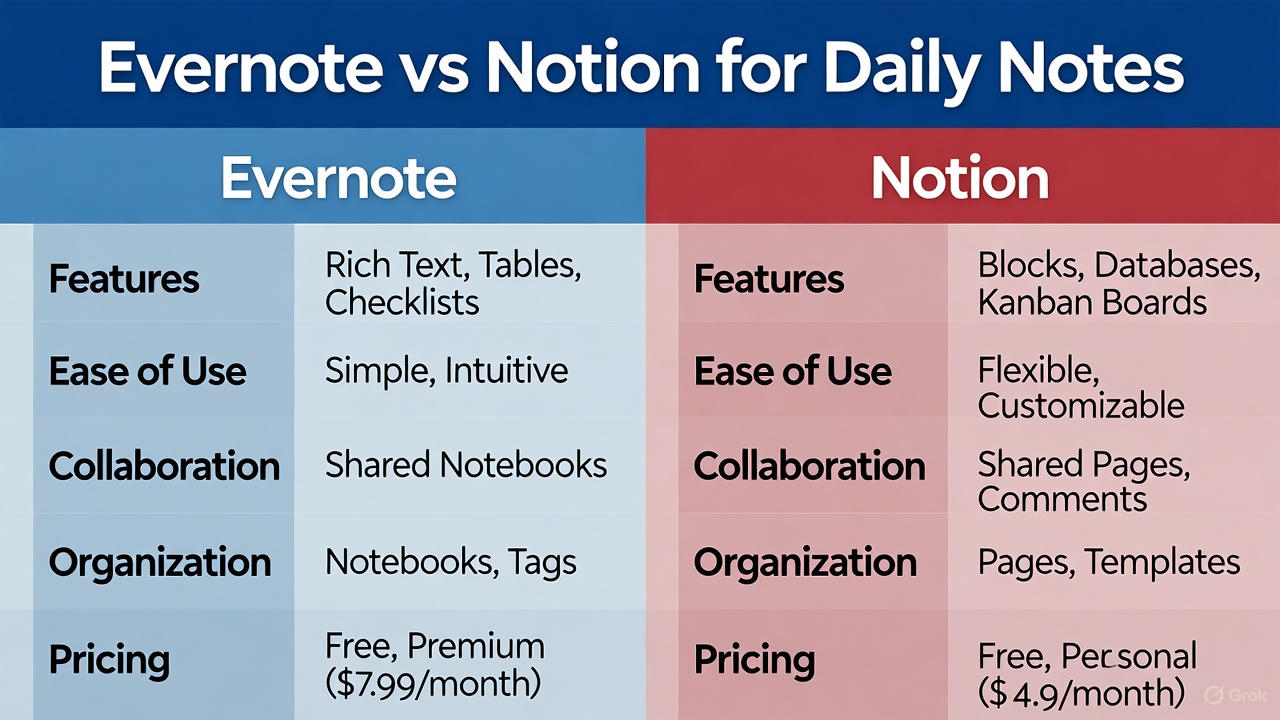
Notion is like a digital playground where you can organize literally everything. Notes, tasks, calendars, databases, journals---if you can think it, Notion can structure it.
The learning curve is real, but once you get the hang of it, Notion becomes incredibly powerful. The ADHD community has created hundreds of templates specifically designed for neurodivergent brains, from daily planners to focus trackers.
Why people love it:
- Fully customizable layouts that adapt to your thinking style
- Pre-made templates for daily planning, habit tracking, and more
- AI assistant to help organize and summarize information
- Combines notes, tasks, and databases in one place
- Great for visual thinkers who need flexibility
Best for: Adults with ADHD who crave both structure and creativity in how they organize their lives.
Pricing: Free plan with generous features. Plus plan is $12/user per month for professionals.
4. Goblin Tools - Breaking Down Task Paralysis
Use Goblin Tools
Sometimes you know you need to "clean the kitchen," but your brain can't figure out where to start. That's where Goblin Tools comes in.
This free web tool uses AI to break overwhelming tasks into specific, manageable steps. Type "clean kitchen" and it generates a logical sequence like: put dishes in dishwasher, wipe counters, sweep floor, take out trash.
What it does:
- Magic ToDo feature that breaks tasks into step-by-step checklists
- Adjustable "spiciness" level controls how detailed the breakdown gets
- Completely free to use
- Works right in your browser, no download needed
Best for: Anyone facing executive dysfunction and struggling with task initiation.
Pricing: Free
5. Structured - Visual Day Planning
Download Structured
Structured merges your calendar events and to-do list into one unified timeline. This reduces the mental load of switching between different apps and gives you a clear, linear view of your day.
The dopamine-friendly interface transforms a daunting schedule into an approachable sequence of events. You can quickly "brain dump" tasks into the inbox and organize them later when you have more mental energy.
Standout features:
- Single timeline view combining calendar and tasks
- Visual time-blocking interface
- Quick inbox for capturing thoughts without organization
- Flexible scheduling with drag-and-drop
- Widgets keep your day visible without opening the app
Best for: Visual thinkers who feel overwhelmed by text-heavy planners.
Pricing: Free basic version. Premium features available.
Focus and Concentration Apps
6. Forest - Gamified Focus Sessions
Plant Trees with Forest
Forest turns staying focused into a game. When you start a work session, you plant a virtual tree. Stay on task, and it grows. Leave the app to check social media, and your tree dies.
This simple concept is surprisingly effective for ADHD brains. The visual representation of your focus creates external accountability. Over time, you build a forest that represents your productive hours.
How it helps:
- Uses Pomodoro technique with timed focus blocks
- Gamification taps into dopamine-driven motivation
- Visual reward system makes abstract focus tangible
- Can plant real trees through partner organizations
- Friends can grow trees together for social accountability
Best for: People who respond well to light external accountability and visual progress.
Pricing: $3.99 one-time purchase (practically free compared to subscriptions)
7. Focus@Will - Science-Backed Focus Music
Listen to Focus@Will
Focus@Will offers music scientifically designed to help ADHD brains concentrate. The tracks are based on neuroscience research to minimize distractions and promote a state of flow.
Different channels work for different tasks. The "Powertool" channel features intense electronic music specifically designed for ADHD users who need high-energy stimulation to maintain attention.
What makes it unique:
- Music engineered based on neuroscience research
- ADHD-specific channel options
- Adjustable intensity levels
- Tracks your productivity to show what works best
- Background music that enhances focus without distracting
Best for: People who need auditory stimulation to concentrate.
Pricing: Free trial available. Subscription required for ongoing use.
8. Brain Focus Productivity Timer
Get Brain Focus
Sometimes you don't need fancy features. You just need a clean, no-nonsense Pomodoro timer that helps you work in focused bursts.
Brain Focus does exactly that. Set your work interval (usually 25 minutes), take a short break, and repeat. After four sessions, take a longer break. This rhythm helps prevent mental fatigue while maintaining productivity.
Simple but effective:
- Customizable work and break intervals
- Statistics tracking to see your progress
- Simple interface with no distractions
- Notifications remind you when to work and rest
Best for: Anyone who needs structure but doesn't want complicated features.
Pricing: Free with optional premium features
9. RescueTime - Automatic Time Tracking
Track with RescueTime
There's a huge difference between how long you think you spent on something and how long you actually spent. RescueTime runs quietly in the background, tracking all your activities to show where your time really goes.
This awareness is crucial for ADHD brains that struggle with time blindness. You might think you spent 20 minutes on email when it was actually two hours. RescueTime gives you the data to understand your patterns.
Tracking features:
- Automatic activity monitoring on your devices
- Detailed reports showing time spent on apps and websites
- Focus session mode that blocks distracting sites
- Goals and alerts to keep you on track
- Visual graphs that make sense of your data
Best for: People who need to improve awareness of where their time actually goes.
Pricing: Free version available. Premium is $9/month with advanced features.
Habit Building and Gamification Apps
10. Habitica - Turn Your Life into a Game
Start Your Quest
Habitica transforms your to-do list into a role-playing game. Complete tasks to earn gold, experience points, and items for your custom avatar. Tackle daily habits to level up. Miss a daily task, and your character loses health.
This gamified approach is incredibly effective for ADHD brains that crave immediate rewards and dopamine hits. Building habits feels less like boring discipline and more like an adventure.
Game mechanics:
- Create tasks, habits, and daily routines as quests
- Earn rewards for completing activities
- Join parties with friends for social accountability
- Battle monsters and bosses by staying on track
- Customize your avatar with earned items
- Community guilds provide support and encouragement
Best for: People who need fun and immediate rewards to stay motivated.
Pricing: Free with full features. Subscription ($4.99/month) adds extra customization and benefits.
11. Routinery - Building Consistent Habits
Build Routines with Routinery
Building habits feels impossible sometimes, but Routinery makes it easier with timers, checklists, and encouragement to help you stay consistent.
The app guides you through customized routines step-by-step. Whether it's your morning routine or bedtime ritual, Routinery provides gentle prompts that help you follow through without feeling pressured.
Routine features:
- Step-by-step routine guidance
- Built-in timers for each task
- Motivational messages and encouragement
- Track your consistency with streak counters
- Customizable routines for different times of day
Best for: Adults with ADHD who need a gentle push toward building structure.
Pricing: Free version available with premium upgrade option.
Specialized ADHD Support Apps
12. Inflow - CBT-Based ADHD Management
Learn with Inflow
Created by people with ADHD for people with ADHD, Inflow offers daily lessons, journal prompts, and activities based on cognitive behavioral therapy.
This isn't just about getting tasks done. Inflow helps you better understand your ADHD brain and develop practical strategies backed by science.
What you get:
- Daily lessons tailored to ADHD challenges
- CBT-based exercises and activities
- Journal prompts for self-reflection
- Community support from other users
- Progress tracking to see your growth
- Expert-developed content
Best for: Anyone looking for science-backed strategies to understand and work with their ADHD.
Pricing: Free trial available. Subscription required for full access.
13. Headspace - Mindfulness for ADHD
Meditate with Headspace
Sometimes your brain just needs to slow down. Headspace offers guided meditation, breathing exercises, and ADHD-specific mindfulness courses to help reduce anxiety and sharpen focus.
The app makes meditation accessible even if you've never tried it before. Short sessions are perfect for ADHD brains that struggle with long, still activities.
Meditation features:
- 500+ guided meditation sessions
- ADHD-specific mindfulness courses
- 3-minute quick practices for busy days
- Sleep sounds and bedtime stories
- Stress relief breathing exercises
- Progress tracking with streak counters
Best for: Anyone seeking mental clarity and stress reduction alongside ADHD management.
Pricing: Free basics with subscription for full library.
14. EndeavorOTC - FDA-Cleared Video Game Treatment
Play EndeavorOTC
EndeavorOTC is the first FDA-cleared digital treatment for adult ADHD delivered through a video game. This isn't just a game---it's a clinically validated tool that targets attention and cognitive control.
The game presents multitasking challenges designed to improve focus and reduce impulsivity. As you play, the difficulty adapts to your performance, providing targeted cognitive training.
Game-based treatment:
- FDA-authorized for adult ADHD treatment
- Adaptive difficulty that matches your level
- Targets attention and cognitive control
- Progress tracking shows improvement over time
- Clinically validated approach
Best for: Adults looking for evidence-based digital treatment options.
Pricing: $24.99/month, $99.99 for 6 months, or $129.99 annually
Productivity and Time Management Tools
15. Google Assistant - Voice-Activated Organization
Use Google Assistant
Google Assistant is your voice-activated sidekick for daily organization. Create to-do lists, check off tasks, schedule events, and build routines---all without lifting a finger.
Voice commands eliminate the friction of typing, which can be a huge barrier for ADHD task initiation. Just say what you need, and it's done.
Voice features:
- Natural language task creation
- Schedule management with voice
- Customizable routines (like morning news updates at 9 AM)
- Medication reminders
- Works across all your devices
Best for: People who find typing tedious and prefer quick voice capture.
Pricing: Completely free
16. SimpleMind - Mind Mapping for Scattered Thoughts
Map Ideas with SimpleMind
When your thoughts are all over the place, mind mapping can help organize scattered ideas into coherent plans. SimpleMind offers a beautifully intuitive platform with a focus mode that eliminates distractions.
Visual layouts reduce overwhelm from long text blocks. You can see how ideas connect, making it easier to break down big projects or brainstorm solutions.
Mind mapping features:
- Intuitive visual organization
- Focus mode eliminates distractions
- Export maps to text or other formats
- Cloud sync across devices
- Unlimited mind maps
Best for: Visual thinkers who need to organize chaotic thoughts quickly.
Pricing: Free basic version. Pro upgrade available.
17. Speechify - Text-to-Speech for Better Focus
Listen with Speechify
Many people with ADHD struggle with sustained focus during reading. Speechify transforms written content into high-quality audio, helping bypass reading-related attention deficits.
Listen to articles, PDFs, emails, and books instead of reading them. The adjustable playback speed lets you consume content faster, matching the pace of your ADHD mind.
Audio features:
- High-quality text-to-speech voices
- Adjustable playback speed
- Works with articles, PDFs, and emails
- Listen while doing other tasks
- Scan physical text with your camera
Best for: Auditory learners who process information better through listening.
Pricing: Free version available. Premium subscription for full features.
Body Doubling and Accountability Apps
18. Flow Club - Virtual Body Doubling Sessions
Join Flow Club
Body doubling means working alongside someone else, either physically or virtually. This technique provides instant motivation and accountability, making tasks feel less overwhelming.
Flow Club offers over 2,500 virtual body doubling sessions per week. Join a video session, share your goals with the group, and work together. The community of fellow ADHDers understands exactly what you're experiencing.
Community features:
- 2,500+ sessions weekly to choose from
- Hosted video sessions with real people
- Share goals for positive accountability
- Fellow neurodivergent community members
- Sessions automatically added to your calendar
Best for: People who work better with social accountability and community support.
Pricing: Subscription-based with free trial available
19. Focusmate - One-on-One Accountability Partners
Find a Focusmate
Focusmate pairs you with another person who also needs to get things done. You'll be acting as body doubles for each other during 50-minute video sessions.
Book an appointment, join the video call from your browser, and work together. The quick setup removes friction, and the accountability helps you actually start the task.
How it works:
- 50-minute one-on-one video sessions
- Book appointments in advance
- No software download needed
- Quick and easy setup
- Community of focused workers
Best for: People who need direct, personal accountability to initiate tasks.
Pricing: Free for 3 sessions per week. Unlimited sessions for $6.99/month.
Time Blindness Solutions
20. Due - Persistent Reminders That Won't Let You Forget
Never Miss with Due
Due is a reminder app with a superpower: persistence. Unlike other apps that send one notification and give up, Due keeps reminding you until you actually complete the task or actively snooze it.
This is perfect for ADHD brains that see a notification, think "I'll do that in a minute," and then completely forget about it. Due doesn't let you forget.
Reminder features:
- Persistent notifications that repeat automatically
- Natural language input for quick setup
- Repeating reminders with custom intervals
- Quick timers for time-sensitive tasks
- One-time purchase, no subscription
Best for: Anyone who dismisses notifications and then forgets what they were supposed to do.
Pricing: Around $10-20 one-time purchase (varies by platform)
How to Choose the Right Apps for You
With 20 apps to choose from, where do you start? Here's a practical approach:
Identify Your Biggest Challenge: Do you struggle more with starting tasks, staying focused, remembering what to do, or managing time? Pick apps that address your primary pain point first.
Start with One App: Resist the urge to download everything at once. That creates more overwhelm. Choose one tool, use it consistently for two weeks, and see if it helps.
Consider Your Learning Style: Visual thinkers might love Tiimo or SimpleMind. Auditory learners could benefit from Speechify or Focus@Will. Gamers might thrive with Habitica or Forest.
Think About Your Daily Routine: What does a typical day look like? If you're writing all day, voice capture tools like Google Assistant help. If you have many timed tasks, visual timers are crucial.
Embrace "Good Enough": The perfect system doesn't exist. Something that works 70% of the time is infinitely better than an ideal system you never use.
Give Yourself Permission to Change: What works now might not work in three months. Your needs can shift. It's okay to switch tools or adjust your approach.
Tips for Actually Using These Apps
Downloading apps is easy. Using them consistently is the hard part. Here are strategies that help:
Make It Visible: Use widgets, lock screen shortcuts, and home screen placement to keep your chosen apps front and center. Out of sight equals out of mind for ADHD brains.
Start Ridiculously Small: Don't try to organize your entire life on day one. Start by tracking just one thing. Build from there.
Combine Tools Strategically: Use Tiimo to plan your day, Todoist to manage tasks, and Forest when you need deep focus. Different tools for different needs can work together.
Set Up During High-Energy Times: Configure your apps when you have mental energy. Don't try to set up complex systems when you're already exhausted.
Use Reminders for the Reminders: Set a daily alarm to check your planning app. The meta-reminder helps establish the habit.
Don't Beat Yourself Up: Some days you won't use any apps. Some weeks your system will fall apart. That's part of having ADHD. Be kind to yourself and start fresh when you're ready.
Apps Are Tools, Not Solutions
Here's something important to remember: Apps are wonderful support tools, but they're not magic cures. They can't replace medication (if you take it), therapy, good sleep, exercise, or proper nutrition.
Think of ADHD apps as helpful scaffolding. They provide external structure where your executive function needs support. They make tasks more manageable, time more visible, and focus more achievable.
But they work best as part of a comprehensive approach to managing ADHD. Keep seeing your doctor. Consider therapy if it's accessible. Take care of your body. Build a support system of real humans.
Technology can level the playing field and help you work with your brain instead of against it. These apps have genuinely changed lives for many people with ADHD. They reduce daily stress, increase productivity, and bring more structure to chaotic days.
Your Next Step
You've learned about 20 powerful ADHD apps across different categories. Now it's time to take action.
Here's your simple next step: Pick ONE app from the category that matches your biggest challenge right now. Just one.
Struggling with time blindness? Try Tiimo.
Can't start tasks? Download Goblin Tools.
Need focus help? Get Forest.
Download it today. Spend 10 minutes setting it up. Use it for two weeks before deciding whether it works for you.
Your ADHD brain is capable of amazing things when it has the right support system. These apps can be part of that system. Give yourself permission to experiment, to change what doesn't work, and to celebrate what does.
You've got this.
Frequently Asked Questions**
Q: Do I really need apps for ADHD, or should I just try harder?
A: ADHD is a neurological difference in how your brain processes information, time, and motivation. Apps provide external structure where executive function is weak. They're not about trying harder---they're about working smarter with your unique brain.
Q: Can apps replace ADHD medication?
A: No. Apps should complement, not replace, medical treatment. They help manage daily challenges but don't address the underlying neurological differences. Use them alongside medication, therapy, or whatever treatment works for you.
Q: Which app is the single best one for ADHD?
A: There's no universal answer because ADHD shows up differently for everyone. Tiimo works great for visual planners. Todoist excels for list lovers. Forest helps focus. Try tools based on your specific struggles.
Q: How many apps should I use at once?
A: Start with one or two maximum. Using too many tools creates overwhelm and becomes another thing to manage. Build a small, sustainable system before expanding.
Q: What if I download an app and then forget to use it?
A: That's incredibly common with ADHD. Put the app on your home screen, use widgets, or set a daily reminder to open it. Make the barrier to entry as low as possible.
Q: Are free apps good enough, or do I need premium features?
A: Many free versions provide everything you need. Start with free plans, use them consistently for a few weeks, then upgrade only if you're sure the premium features will help.
Q: Can children with ADHD use these apps?
A: Yes, several apps like Tiimo, Habitica, and Forest work well for older children and teens. Always supervise your child's app usage and choose age-appropriate tools.
Q: What if an app stops working for me?
A: That's completely normal. What works this month might not work next month. Give yourself permission to switch tools without guilt. Your needs change, and that's okay.
Remember: progress isn't linear. Some days will be great. Others won't. The goal isn't perfection---it's finding tools that make your life a little easier and help you thrive with your ADHD brain.