A real-world usability breakdown for teams that want the right tool — not just the popular one.
If your team spends half its day switching between tabs, chasing down messages, or wondering why that important thread got buried, your communication tool might be the problem. Google Chat and Slack are two of the biggest names in workplace messaging — but they serve different kinds of teams in very different ways.
This post breaks down the full usability picture between the two platforms. You'll get a clear sense of the interface, integrations, search capabilities, notification controls, mobile experience, and pricing — so your team can make a smarter call.
Let's get into it.
What Are These Tools, Actually?
Google Chat is Google's native team messaging platform, built directly into the Google Workspace ecosystem. It connects seamlessly with Gmail, Google Drive, Google Meet, and Google Calendar. Teams already on Workspace get Google Chat essentially bundled in, which makes it a natural choice for organizations deep in the Google environment.
Slack is a standalone team communication platform that carved out its reputation as the go-to tool for tech-forward companies. Its channel-based structure, massive app marketplace, and powerful workflow automation tools turned it into one of the most widely adopted business communication tools in the world.
Both tools help teams communicate in real time. Both support file sharing, threads, direct messages, and video calls. But the usability — how they feel to actually work in — is where things get interesting.
Interface & Navigation: First Impressions Matter
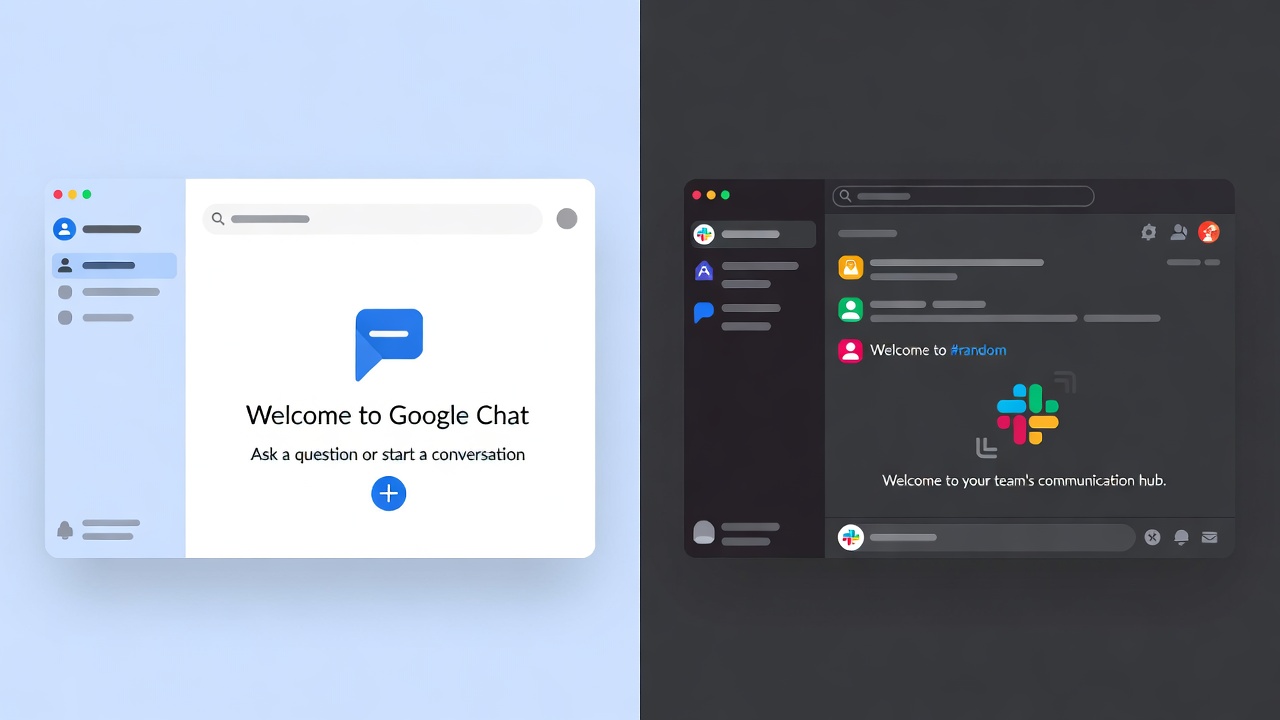
The first time you open Slack, the sidebar hits you immediately. Channels, direct messages, apps, and bookmarks all live on the left — organized into collapsible sections you can rearrange. It feels like an organized workspace where you control the layout. Power users love this because they can pin exactly what they need and collapse the rest.
Google Chat takes a cleaner, flatter approach. The left sidebar shows Spaces (group channels), direct messages, and a search bar. It's simpler, less intimidating for new users, but also less customizable. Switching between conversations feels a bit less fluid — particularly if you're jumping between multiple Spaces rapidly.
For teams that are jumping into messaging tools for the first time, Google Chat's simplicity is a genuine advantage. For teams with 30+ channels and high message volume, Slack's navigation starts to show its depth.
Winner for ease of onboarding: Google Chat
Winner for power navigation: Slack
Channels vs. Spaces: Different Philosophies
Slack organizes conversations into channels — named rooms that anyone can join, be added to, or browse. You can have public channels the whole org sees, private channels for specific teams, and shared channels that connect with external partners or even other Slack workspaces.
Google Chat calls its group conversation hubs Spaces. Spaces function similarly to channels — they hold threaded conversations, files, and task lists. In fact, Google redesigned Spaces to include a dedicated Tasks tab alongside messaging, giving them a light project management feel.
One practical difference: Slack channels have a longer track record of rich metadata — topics, descriptions, pinned messages, and bookmarked items that make the channel a knowledge hub. Google Spaces is catching up but still feels simpler by comparison.
For project-based teams that want a focused space with task tracking baked in, Google Spaces is surprisingly capable. For teams that rely on deep channel organization and cross-company collaboration, Slack pulls ahead.
Search Functionality: Can You Actually Find Things?
This is where many teams feel the real-world pain. Message archives pile up fast, and being able to find a decision made three weeks ago saves actual time.
Slack's search is powerful and granular. You can filter by person, channel, date range, file type, or keyword. The syntax is intuitive — typing in:#design from:@alex before:last month gets you exactly what you need. Slack also lets you star messages and save them to a dedicated "Saved Items" section, which acts like a personal bookmark system.
Google Chat's search uses Google Search infrastructure — which sounds impressive, but in practice it's optimized for Google Drive content more than chat history. Searching within a specific Space or filtering by conversation type is less refined. The experience feels like it was designed as an afterthought compared to Slack's search-first approach.
For teams where searchable history and knowledge retrieval matters — think legal, ops, or product — Slack has a meaningful edge here.
Winner for search: Slack
Integrations & App Ecosystem
This is one of the biggest gaps between the two platforms.
Slack's App Directory has over 2,600 integrations. From project management tools like Jira, Asana, and Trello, to CRMs like Salesforce and HubSpot, to developer tools like GitHub and PagerDuty — almost every business tool has a Slack integration. You can trigger workflows, get automated notifications, run commands, and build custom bots without touching a single line of code.
Google Chat integrates well with the Google ecosystem — Calendar, Drive, Docs, Sheets, Meet — and offers a Google Chat Apps Marketplace with third-party add-ons. But the marketplace is significantly smaller than Slack's. If your team relies heavily on non-Google tools, you'll likely find fewer native integrations.
That said, if your team lives in Google Workspace, the native integrations in Google Chat are genuinely seamless. A Google Meet call spins up from a chat in seconds. A Drive file preview loads inline without leaving the app. You don't need third-party integrations if Google already built what you need.
Winner for breadth of integrations: Slack
Winner for Google Workspace integration: Google Chat
Notifications & Focus Management
Getting notifications right is one of the most underrated parts of any communication tool. Too many notifications = noise. Too few = missed context.
Slack gives you granular control. You can mute channels, set do-not-disturb hours, get notified only on @mentions or keywords, and schedule notifications to pause during focus time. Teams can also use the Slack Status feature to signal availability — which becomes especially useful for remote teams across time zones.
Google Chat's notification system is functional but less flexible. You can mute conversations and set do-not-disturb periods, but keyword-based notifications and per-channel notification fine-tuning aren't as developed. The notification settings feel more binary — on or off — rather than nuanced.
For teams where deep work matters and interruption management is a priority, Slack gives better tools to stay in control of your attention.
Winner for notification control: Slack
Threads & Conversation Structure
Both platforms support threaded replies — but they handle threads very differently in terms of usability.
In Slack, threading is optional. You can reply directly in the channel (contributing to the main flow) or reply in a thread (keeping side conversations contained). This flexibility means teams can develop their own norms. Some teams thread everything; others barely use threads. The "Also send to channel" toggle gives you the choice to notify the broader group even when replying in a thread.
Google Chat leans more heavily into threads by default. Inside a Space, every new topic starts a thread, and replies are organized under it. This structure keeps conversations cleaner in busy Spaces — but it also means navigating between threads is a slightly different skill than navigating Slack channels.
For teams that like rigid structure and have lots of simultaneous topics, Google Chat's default threading can be a feature. For teams that prefer conversational flow with optional threading, Slack feels more natural.
Video & Audio Calls
Both tools handle quick calls, but the integration depth differs.
Slack has its own native Slack Huddles feature — lightweight, always-on audio rooms that you can drop into without a formal meeting invite. It's designed for the "hey, got a minute?" use case. For video, Slack integrates with Zoom, Google Meet, and Microsoft Teams, though it also has its own video call capability.
Google Chat integrates directly with Google Meet — clicking the Meet button spins up a full video call with the conversation context right there. For teams already using Google Workspace, this is frictionless. Google Meet also has solid features for larger meetings, including live captions, breakout rooms, and noise cancellation.
If your team is already paying for Google Workspace and uses Meet regularly, this integration is genuinely one of Google Chat's best features.
Winner for video calls (Google Workspace teams): Google Chat
Winner for flexible audio-first communication: Slack (Huddles)
Mobile Experience
Both apps have solid mobile apps on iOS and Android, but the experience differs.
Slack's mobile app mirrors the desktop fairly closely. Navigation, search, and notifications all work well on mobile. The app has gone through significant polish and feels like a first-class experience — not an afterthought.
Google Chat's mobile app is clean and simple. It loads fast and integrates well with the rest of Google's mobile ecosystem. Switching between Gmail, Calendar, and Google Chat on Android in particular feels cohesive.
For pure mobile usability, both are strong. Teams on Android devices or heavy Gmail mobile users may find Google Chat's mobile experience more intuitive because of how Google apps work together.
Pricing Breakdown
This is where the decision often gets made.
Google Chat is included free with all Google Workspace plans — starting at around $6/user/month for Business Starter. If your team is already paying for Google Workspace, you're getting Google Chat at no additional cost. There's also a free tier through personal Google accounts.
Slack has a free tier with limitations (90-day message history, 10 app integrations). The Pro plan starts at $7.25/user/month (billed annually). The Business+ plan is $12.50/user/month and adds compliance features, SAML-based SSO, and 24/7 support. Enterprise Grid is custom pricing.
For teams already on Google Workspace who are cost-conscious, Google Chat is a no-brainer from a pricing standpoint. For teams that aren't in the Google ecosystem, Slack's pricing is competitive — though costs can add up as the team scales.
Head-to-Head Comparison Table
| Feature | Google Chat | Slack |
|---|
| Pricing (entry) | Included with Workspace ($6+/user/mo) | Free tier; Pro at $7.25/user/mo |
| Interface | Clean, simple, minimal | Feature-rich, customizable |
| Search | Basic (Google infrastructure) | Advanced filters & saved items |
| Integrations | 200+ (Google-native focus) | 2,600+ apps |
| Threading | Default threaded in Spaces | Optional threading in channels |
| Video Calls | Native Google Meet integration | Huddles + 3rd party integrations |
| Notifications | Basic controls | Granular keyword-level control |
| Mobile App | Strong (great on Android) | Strong (iOS and Android) |
| Workflow Automation | Google AppSheet + Workspace | Workflow Builder (no-code) |
| Guest/External Access | Yes (via Spaces) | Yes (via Slack Connect) |
| Onboarding Ease | Very easy | Moderate learning curve |
| Best For | Google Workspace teams | Tech/cross-platform teams |
When Google Chat Makes More Sense
Google Chat becomes the obvious pick when your team is already working inside Google Workspace day-to-day. If your team writes Docs, organizes tasks in Calendar, stores files in Drive, and meets on Google Meet — adding a separate tool like Slack creates unnecessary friction. You're paying for a tool your team will then need to learn, maintain, and sync across platforms.
Small businesses and teams at educational institutions that rely on free Google Workspace accounts also benefit from Google Chat as a zero-cost communication layer that works well enough for straightforward team messaging needs.
Google Chat is also a smart pick for teams that find Slack's notification volume and channel sprawl overwhelming. The simpler interface reduces cognitive load — and for some teams, that's exactly what they need.
When Slack Makes More Sense
Slack becomes the right call when your team relies on a diverse tech stack. If you're running Jira for project management, Salesforce for CRM, GitHub for code, and Figma for design — Slack's integration ecosystem means all of those tools can pipe notifications, updates, and actions directly into your workspace. That's a fundamentally different kind of connected workflow than what Google Chat currently supports.
Growing tech companies, marketing agencies, and development teams tend to favor Slack for good reason. The Workflow Builder lets non-developers automate common processes — like routing support requests, collecting standup responses, or onboarding new teammates — without writing a line of code.
Slack also wins for teams with external communication needs. Slack Connect lets you create shared channels with clients, vendors, or partners in other companies — keeping external collaboration out of your email inbox.
LSI Keyword Roundup: What Teams Search For
Before you wrap up your research, here are some related topics many teams look into when evaluating team messaging software, business communication platforms, and workplace chat tools:
- Real-time collaboration tools — Both platforms support it, but execution differs
- Remote team communication — Slack has more async-friendly tools; Google Chat leans into Google Meet
- Enterprise messaging apps — Slack Enterprise Grid vs Google Workspace Business Plus/Enterprise
- Channel-based communication — Slack's structure remains the industry standard
- Threaded messaging — Google Chat defaults to threads; Slack makes it optional
- Workflow automation — Slack Workflow Builder vs Google AppSheet
- Cross-platform chat apps — Slack works independently; Google Chat is best inside the Google ecosystem
The Bottom Line
Both tools are genuinely good — the better question is which one fits your team's actual workflow.
Go with Google Chat if you're already on Google Workspace, value simplicity, and want a low-cost communication layer that just works inside the tools your team already uses.
Go with Slack if your team needs deep integrations with non-Google tools, runs complex workflows, values powerful search and notification controls, and wants the flexibility to grow into a more sophisticated communication setup.
The right tool doesn't need to be the flashiest one. It needs to be the one your team actually uses — consistently, without friction, and without spending half the day managing the tool itself.
Have a take on which tool your team prefers? Drop a comment or reach out — real-world experience always beats benchmarks.