Pet Calculators: Smarter, Safer Care for Dogs, Puppies, and Cats
Overview
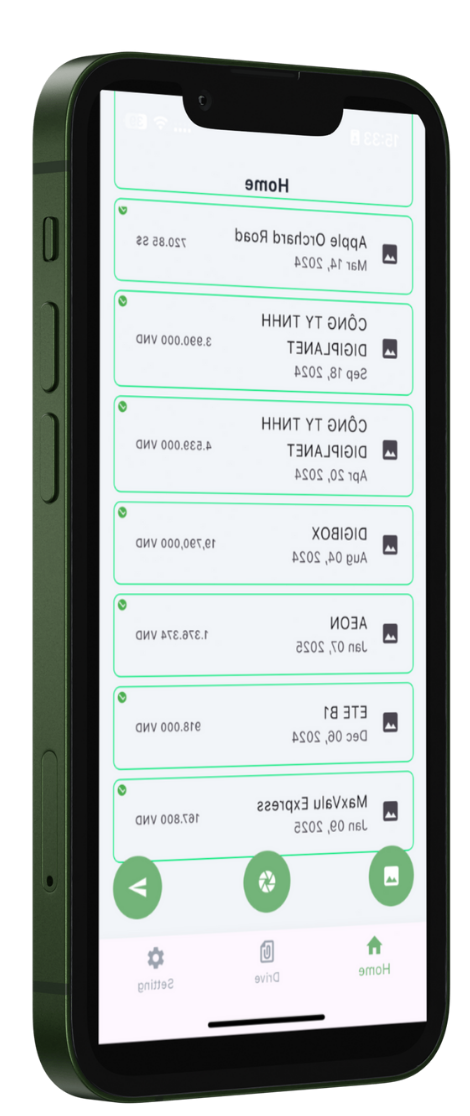
Sheetify is a web-based tool designed to streamline the process of converting paper receipts into digital records, making expense tracking and financial management more efficient. Whether you're a small business owner, a freelancer, or an individual looking to keep your finances organized, Sheetify offers a user-friendly solution that integrates seamlessly with Google Sheets.
One of the key strengths of Sheetify is its smart receipt scanning technology. By simply taking a photo of your receipt, the tool automatically captures and digitizes the essential information, such as the date, amount, and merchant name. This data is then uploaded directly to your Google Sheets, where you can easily manage and analyze your expenses. The integration with Google Drive ensures that your financial records are stored securely and accessible from anywhere, making it ideal for remote work and on-the-go tracking.
While Sheetify excels in simplifying the receipt scanning and expense tracking process, it does have some limitations. For instance, the accuracy of the OCR (Optical Character Recognition) technology can vary depending on the quality of the receipt and the clarity of the text. Additionally, the tool's pricing model is not explicitly clear, which might be a consideration for budget-conscious users. Despite these minor drawbacks, Sheetify remains a valuable tool for anyone looking to digitize their financial documents and maintain organized records.
Common use cases for Sheetify include managing personal expenses, tracking business expenditures, and preparing for tax season. By automating the often tedious task of manual data entry, Sheetify saves time and reduces the risk of errors, making it a practical choice for both individuals and businesses. Whether you need to keep track of daily expenses or prepare detailed financial reports, Sheetify provides a straightforward and effective solution.