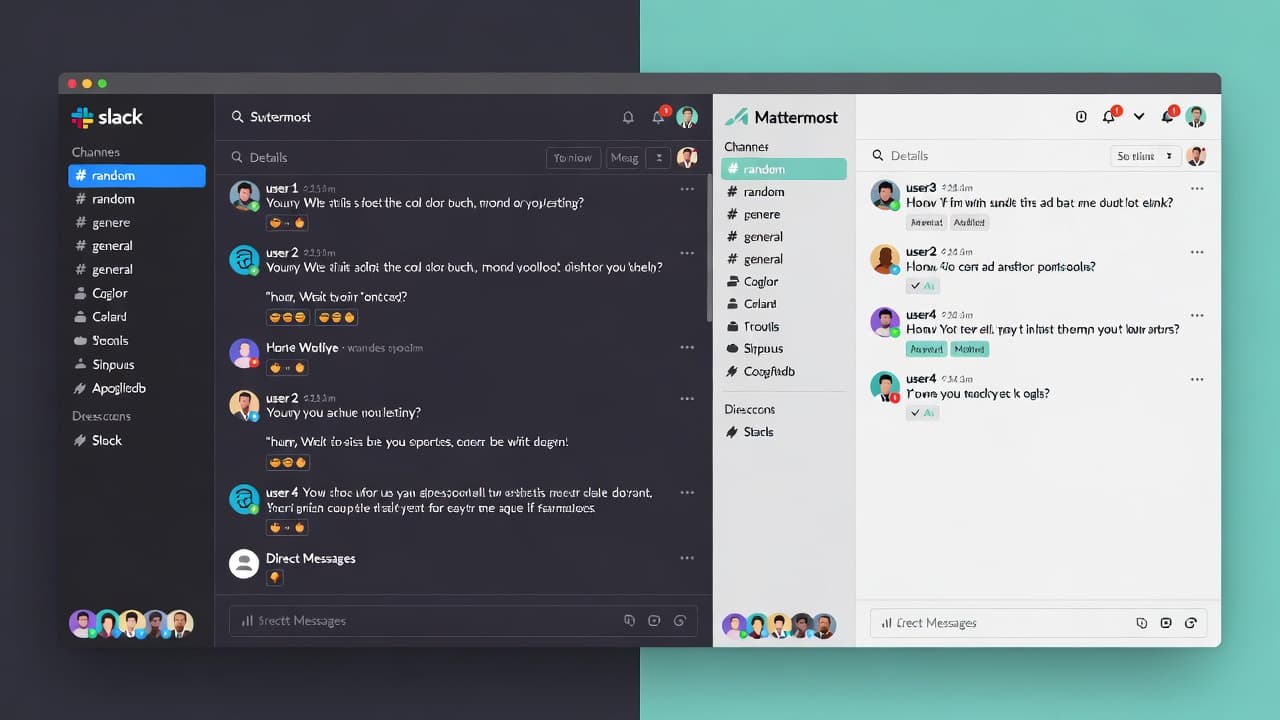
Slack and Mattermost are two popular communication tools that many businesses use to keep teams connected and productive. Both platforms offer features that make collaboration easier, but they differ in several ways. This blog post will help you decide which one is better for your team by comparing their features, user experience, and cost.
What Is Slack?
Slack is a cloud-based team collaboration tool that helps teams communicate and stay organized. It's ideal for teams that need a central hub for chat, file sharing, and project management. Slack's features include:
- Channels: Divide conversations into channels based on topics or teams.
- Direct Messages: Send private messages to individuals or small groups.
- Files: Share files and documents with your team.
- Integrations: Connect to over 2,000 third-party applications.
Real-World Example
A software development team at a tech startup uses Slack to coordinate tasks and share code snippets. They have dedicated channels for different projects and use direct messages for quick, informal conversations.
What Is Mattermost?
Mattermost is an open-source team collaboration platform that offers similar features to Slack but with a focus on security and customization. It's particularly suitable for organizations that need a more secure and flexible communication tool.
Key Features
- Channels: Similar to Slack, you can create channels for different projects or topics.
- Direct Messages: Private conversations within the app.
- File Sharing: Share files with your team.
- Customization: More options to customize the user interface and branding.
- Security: Supports multi-factor authentication and encryption.
Real-World Example
A financial services firm uses Mattermost for secure communication. They have strict data privacy policies and use Mattermost's advanced security features to ensure compliance.
Cost Comparison
Slack
Slack offers a free version and paid plans with varying features and pricing:
- Free Plan: Limited to 10,000 messages per user per month and only 10,000 users. No file storage, no integrations.
- Paid Plans: Starting at $6 per user per month, with more features as you move up the pricing tiers.
Mattermost
Mattermost is open-source, and there are both free and paid versions:
- Free Version: Limited to 10,000 users and basic features. No file storage, no integrations.
- Enterprise Plan: Starts at $2 per user per month, with additional features like advanced security and customization.
Actionable Step
If you're on a tight budget, start with the free versions of both tools. Evaluate your needs and see if you can find a good fit. If you need more features, consider the paid plans.
User Experience
Slack
Slack is known for its user-friendly interface and seamless integration with popular tools. It's easy to navigate and find what you need. However, the free version has limitations, which can be frustrating for teams that need more features.
Mattermost
Mattermost has a clean and customizable interface. It's particularly appealing to teams that need a high level of customization. The open-source nature allows you to tailor the tool to your specific needs, but it might take some time to set up.
Actionable Step
Try both tools using their free versions. Give each one a few days to see how it feels. Consider what features are most important to your team and which tool feels more intuitive.
Security and Privacy
Slack
Slack has robust security features, including two-factor authentication, data encryption, and compliance with major data privacy regulations. However, it's not open-source, which means you can't see the underlying code.
Mattermost
Mattermost is open-source, which means you can review the code and ensure it meets your security standards. It also offers advanced security features like multi-factor authentication and encryption.
Actionable Step
If security and privacy are top priorities, consider Mattermost. Review the security features and make sure they meet your organization's requirements.
Customization and Branding
Slack
Slack offers some customization options, such as branding and integrations. However, it's not as customizable as Mattermost.
Mattermost
Mattermost is highly customizable. You can change the user interface, add custom branding, and even write your own plugins. This flexibility is great for organizations with specific needs.
Actionable Step
If you need a tool that can be tailored to your organization's unique needs, Mattermost is a better choice. Explore the customization options to see if they meet your requirements.
Integration with Third-Party Apps
Slack
Slack has over 2,000 integrations with popular tools like Google Drive, Trello, and Jira. You can easily connect these apps to streamline your workflow.
Mattermost
Mattermost has fewer integrations compared to Slack. However, it still supports basic integrations and can be extended with custom plugins.
Actionable Step
Evaluate the third-party apps your team uses. If you need a wide range of integrations, Slack might be the better choice. If you're okay with a more limited set of integrations, Mattermost could be sufficient.
Community and Support
Slack
Slack has a large and active community of users. You can get help from other users and access official support. However, customer support can be slow at times.
Mattermost
Mattermost has a smaller but active community. You can find helpful resources and support on their forums and documentation. Customer support is generally faster and more responsive.
Actionable Step
If you prefer a community-based approach to support, consider Slack. If you value faster and more personalized support, Mattermost might be a better fit.
Conclusion
Introduction to Slack and Mattermost
Slack and Mattermost are two popular platforms for team communication and collaboration. Both tools offer free versions, making them accessible for small teams and startups. In this blog post, we will compare the free versions of Slack and Mattermost, highlighting their features, strengths, and weaknesses. This guide will help you decide which platform is best for your team.
Features of Slack Free Version
Slack's free version, called Slack Free, is suitable for small teams. Here are some key features:
- Basic Channel Creation: You can create up to 1,000 channels.
- File Sharing: Share files up to 100 MB.
- Real-Time Collaboration: Collaborate in real-time with live mentions, reactions, and @mentions.
- Basic Integrations: Connect with over 1,500 apps and services, including Google Drive, Trello, and Jira.
- 24/7 Customer Support: Get help from Slack's support team for free.
Features of Mattermost Free Version
Mattermost's free plan, known as the Open Source license, is designed for teams of any size. Here’s what you get:
- Unlimited Channels: Create as many channels as you need.
- File Storage: Store up to 1 GB of files.
- Real-Time Collaboration: Collaborate in real-time with live mentions and reactions.
- Basic Integrations: Connect with third-party apps through webhooks.
- 24/7 Community Support: Get support from the Mattermost community.
User Interface and Experience
Slack User Interface
Slack’s user interface is clean and intuitive. It’s designed to be user-friendly, making it easy for new users to navigate. The sidebar includes team channels, direct messages, and notifications, which are well-organized.
Mattermost User Interface
Mattermost has a slightly different look, with a more modern and minimalist design. It offers customizable dashboards where you can add widgets and notifications. The interface is straightforward and efficient, which is great for teams that need a more streamlined experience.
Slack excels in collaboration tools. It has features like:
- Live Collaboration: Edit files and documents in real-time.
- Screen Sharing: Share your screen during meetings.
- Video Calls: Host video calls with up to 1,000 participants.
Mattermost focuses on simplicity and real-time communication. It has:
- Live Collaboration: Collaborate on documents and files with real-time editing.
- Screen Sharing: Share your screen during meetings.
- Video Calls: Use external tools like Zoom or Google Meet for video calls.
Security and Compliance
Slack Security
Slack takes security seriously. It offers:
- Data Encryption: Encrypts all data both in transit and at rest.
- Compliance: Meets many industry standards, including GDPR and HIPAA.
Mattermost Security
Mattermost is known for its robust security features, including:
- Data Encryption: Secure data both in transit and at rest.
- Custom Compliance: Fully customizable for meeting specific compliance requirements.
Community and Support
Slack Community and Support
Slack has a large and active community. You can get help from other users through forums and the Slack community. The company also offers 24/7 customer support.
Mattermost Community and Support
Mattermost has a strong community of users and developers. The company provides 24/7 community support, and you can also seek help through the Mattermost Community Slack.
Integration Capabilities
Slack Integration Capabilities
Slack has a vast ecosystem of integrations. You can connect with over 1,500 apps and services, making it easy to integrate with your existing workflows.
Mattermost Integration Capabilities
Mattermost supports integrations through webhooks, which allow you to connect with third-party applications. While it has fewer pre-built integrations compared to Slack, you can still connect with a variety of tools.
Customization and Scalability
Slack Customization and Scalability
Slack is highly customizable. You can add custom bots, use apps, and configure settings to fit your team’s needs. It can scale well, but it might require more configuration for larger teams.
Mattermost Customization and Scalability
Mattermost is known for its flexibility and customization options. You can create custom dashboards, add widgets, and configure settings to meet your team’s needs. It’s highly scalable and easy to integrate with other tools.
Conclusion
Both Slack and Mattermost offer strong features for free, making them great choices for small teams and startups. Slack excels in user interface and a wide range of integrations, while Mattermost shines with its simplicity and customization options. When choosing between the two, consider your team’s needs, such as the level of collaboration, security, and customizability.
If your team values a user-friendly interface and a large ecosystem of integrations, Slack might be the better choice. If you prefer a simpler, more customizable solution, Mattermost could be the way to go. Both platforms offer solid free versions, so you can try them out and see which one fits your team best.
Whether you’re a small startup or a larger organization, taking the time to evaluate both platforms can help you make an informed decision.