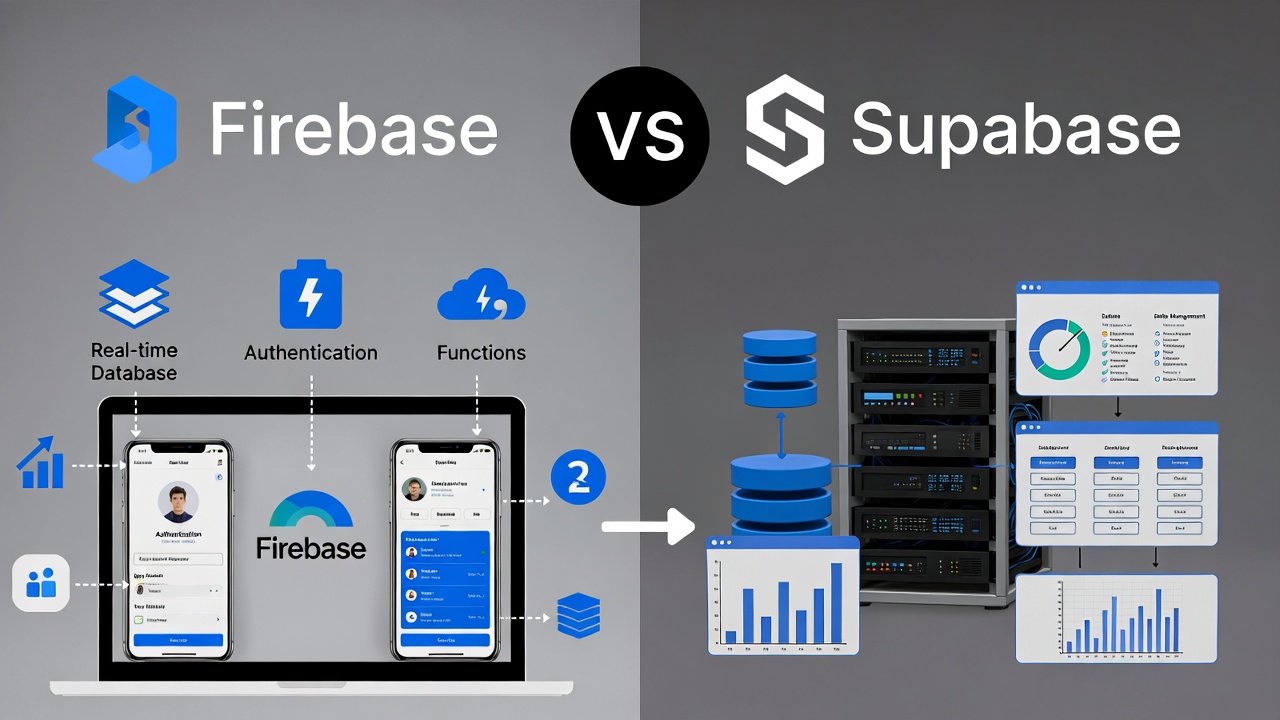
Building a mobile app or web application in 2026 means you'll face one critical decision early on: which backend platform should power your project? Two names dominate the conversation: Firebase and Supabase. Both platforms promise to handle your database, authentication, storage, and real-time features without forcing you to become a backend expert.
But here's the truth: these platforms take fundamentally different approaches. Firebase wraps everything in Google's proprietary ecosystem with NoSQL at its core. Supabase builds on PostgreSQL and open-source principles, giving you SQL power and data freedom. Your choice will shape how fast you ship, how much you spend, and how easily you can migrate later.
Let's break down everything you need to know.
What Firebase Brings to the Table
Firebase started in 2011 as a real-time database API. Google acquired it in 2014 and transformed it into a comprehensive backend-as-a-service platform. Today, Firebase offers a full suite of developer tools that work seamlessly within the Google Cloud ecosystem.
The platform's core features include Cloud Firestore, a document-oriented NoSQL database that stores data as JSON-like documents. Firebase automatically caches these documents on user devices, so apps can read and write data even offline. When devices reconnect, Firebase syncs everything automatically.
Firebase also provides robust authentication supporting email, phone numbers, social logins, and anonymous sessions. The platform includes Cloud Storage for file management, Cloud Functions for serverless backend logic, and hosting services for web applications. All these services connect through Firebase SDKs that make development feel seamless.
Google recently launched Firebase Studio, an AI-driven development environment that lets teams prototype and deploy full-stack apps from a single workspace. Firebase Data Connect now supports managed SQL through PostgreSQL via Cloud SQL, bridging traditional databases with Firebase's serverless approach.
Understanding the Supabase Difference
Supabase emerged in 2020 as an open-source alternative to Firebase. Instead of building a proprietary system, Supabase chose PostgreSQL as its foundation. This decision fundamentally changes how developers work with data.
Each Supabase project includes a dedicated Postgres database, auto-generated REST and GraphQL APIs, real-time subscriptions, and storage tied together with Row-Level Security. You write security policies in SQL, using the same language you use for queries.
The platform provides built-in authentication through the GoTrue API, a JWT-based system that supports various login methods. Supabase Storage handles file management with built-in CDN capabilities. Edge Functions, built on the Deno runtime, run TypeScript or JavaScript at the edge for low-latency responses.
Because Supabase runs on standard PostgreSQL, you can self-host the entire stack or use their managed cloud platform. Your data remains portable. If you need to migrate, you can export your PostgreSQL database and move it to any PostgreSQL host without rewriting your application.
Database Architecture: SQL vs NoSQL
The main difference between Firebase and Supabase is their underlying database structure: Firebase uses a document store, while Supabase is based on PostgreSQL, a relational database management system.
Firebase's Firestore organizes data as collections of documents. Each document contains key-value pairs, and values can be nested documents. This flexible schema makes prototyping quick. You don't need to define your data structure upfront. Two documents in the same collection can have completely different fields.
This flexibility comes with tradeoffs. When you need to model relationships between data, you face two options: denormalize your data (copy it across multiple documents) or perform multiple queries in your application code. For simple apps, this works fine. For complex applications with many relationships, it becomes challenging to maintain data consistency.
Supabase runs on PostgreSQL, ideal for structured data, complex joins, and analytical queries - typical for SaaS or data-heavy products. PostgreSQL gives you foreign keys, indexes, transactions, and the full power of SQL. You can write complex queries that join multiple tables, aggregate data, and maintain referential integrity.
If your application requires complex reporting, analytics, or intricate data relationships, PostgreSQL's relational model makes development significantly easier. You define your schema with tables and columns, create relationships between tables, and let the database enforce data integrity.
Real-Time Capabilities Compared
Firebase built its reputation on real-time synchronization. The platform has handled real-time data since day one. Firebase syncs any data changes including cursor positions, notifications, location-sharing, or other events not stored in the database.
Setting up real-time listeners in Firebase requires just a few lines of code. You tell your app to watch specific locations in your database, and Firebase automatically sends updates to connected clients. This makes Firebase excellent for chat applications, live dashboards, collaborative tools, and any scenario requiring instant updates.
Firebase's offline capabilities shine here. The platform caches data locally and continues to work even when devices lose connectivity. When connectivity returns, Firebase syncs all changes automatically.
Supabase's real-time capabilities build on PostgreSQL's replication features. The platform listens to database changes and broadcasts them to subscribed clients. Supabase specifically syncs database changes, which makes it powerful for data-driven applications but less flexible for events outside the database.
Supabase's real-time features have matured significantly. The platform now provides low-latency updates suitable for most real-time use cases. However, Firebase maintains an edge in offline-first scenarios and complex real-time synchronization patterns.
Authentication and Security Models
Both platforms offer comprehensive authentication supporting email/password, social logins, phone authentication, and multi-factor authentication.
Firebase uses Security Rules written in a JavaScript-like syntax. These rules control access to Firestore, Realtime Database, and Storage. The syntax feels familiar to JavaScript developers, making it approachable for common scenarios.
Firebase Security Rules work well for straightforward permission schemes. When you need complex, data-dependent permissions, the declarative rule syntax can become difficult to manage.
Supabase is built on PostgreSQL Row Level Security, where access control is enforced through SQL-based policies, allowing fine-grained, table-level permissions. You write policies using SQL that can reference user attributes, related data, or complex conditions.
This SQL-based approach gives you tremendous flexibility. You can create policies that check user roles, verify relationships between records, or implement complex business logic directly in the database. For teams comfortable with SQL, this feels natural and powerful.
Serverless Functions and Backend Logic
Firebase Cloud Functions support Node.js, Python, and Go. Functions can trigger from HTTP requests, Firestore changes, authentication events, Cloud Pub/Sub messages, and more. The platform integrates deeply with Google Cloud Platform, giving you access to the entire GCP ecosystem.
Firebase functions scale automatically and integrate seamlessly with other Firebase services. You can trigger a function when a user signs up, when a document changes, or on a schedule. The platform handles all infrastructure management.
Supabase Edge Functions are built on the Deno runtime, supporting TypeScript and JavaScript, designed to run at the edge for low-latency performance with direct access to the PostgreSQL database. These functions work well for lightweight APIs and custom logic tightly coupled with your database.
Edge Functions deploy globally and run close to your users. Because they have direct database access, you can write APIs that query your database efficiently without additional network hops.
Pricing: The Reality Check
Firebase charges per read, write, and delete, which can spike costs as your app scales. The usage-based model means your monthly bill depends on how much your users interact with your database.
Firebase offers a generous free tier that works well for small projects and prototypes. As your application grows and users become more active, costs can increase quickly and unpredictably. You pay for every database operation, every file stored, and every gigabyte of bandwidth.
One developer reported their Firebase costs jumping from under $50 monthly to over $120,000 for just two days due to unexpected usage patterns. While extreme, this example shows the risk of usage-based pricing without proper monitoring.
Supabase uses resource-based pricing. You pay for database compute, storage, and bandwidth based on your plan tier. The pricing remains predictable as you scale. You know your monthly costs upfront, and the platform offers a "Spend Cap" feature to prevent surprise bills.
Supabase's free tier includes 500MB database space, 1GB file storage, and 2GB bandwidth monthly. Paid plans start at $25 monthly and scale based on your resource needs rather than individual operations.
Vendor Lock-In and Data Portability
Firebase's proprietary databases create vendor lock-in. Firestore and Realtime Database use custom structures specific to Google's platform. Migrating away from Firebase often means rewriting your data access code, restructuring your data model, and potentially losing features you've built around Firebase-specific capabilities.
Google owns your data infrastructure, and you're dependent on their pricing, policies, and platform evolution. While Firebase remains reliable and well-supported, you're locked into Google's ecosystem for the long term.
Supabase runs on standard PostgreSQL. Your database uses industry-standard SQL. If you decide to migrate, you can export your PostgreSQL database and move it to any PostgreSQL host. Your queries, schema, and data move without major code changes.
The open-source foundation gives you options. You can self-host Supabase on your own infrastructure, use their managed cloud service, or migrate to another PostgreSQL provider. You maintain control without vendor dependency.
Developer Experience and Learning Curve
Firebase requires learning its SDKs, Firestore query syntax, and Security Rules system. The platform abstracts away backend complexity, which accelerates initial development. You install a Firebase SDK, configure it with your project credentials, and start building.
For developers new to backend development, Firebase's documentation and tutorials provide a smooth onboarding experience. The platform handles scaling, infrastructure, and many backend concerns automatically.
The abstraction becomes limiting when you need to do something outside Firebase's predefined patterns. Custom backend logic, complex queries, or specific infrastructure requirements often require workarounds or become impossible.
Supabase uses standard SQL and REST conventions. Developers with database experience can start contributing immediately. The SQL-based approach means less Firebase-specific knowledge and more transferable skills.
The platform provides a dashboard for managing databases, authentication, APIs, storage, and edge functions in one place. Everything connects at the database layer, which simplifies the mental model once you understand PostgreSQL basics.
When to Choose Firebase
Firebase excels for specific use cases. The platform works best when you need to ship quickly with minimal backend knowledge, when you're building real-time collaborative features, when your data model fits naturally into documents and collections, or when you're already invested in the Google Cloud ecosystem.
Firebase makes sense for prototypes, MVPs, and projects where time-to-market matters more than long-term infrastructure control. The platform's offline-first approach works excellently for mobile applications that need to function without connectivity.
Chat applications, social feeds, collaborative tools, and real-time dashboards play to Firebase's strengths. The platform handles these use cases elegantly with minimal configuration.
When to Choose Supabase
Supabase fits better when you need structured data with complex relationships, when you want to avoid vendor lock-in, when you prefer SQL over NoSQL, when you need predictable pricing, or when you might need to self-host your infrastructure later.
The platform works well for SaaS applications, data-heavy products, applications requiring complex analytics, and projects where developers already know SQL. Supabase gives you more control over your backend while still providing managed services.
If your application requires sophisticated reporting, complex joins, or referential integrity, PostgreSQL's relational model makes development significantly easier than denormalizing data across Firebase documents.
Top Backend Platforms and Tools for 2026
Beyond Firebase and Supabase, the backend ecosystem offers numerous alternatives. Each platform addresses different needs, from self-hosted solutions to enterprise-grade services. Here's a comprehensive list of the top backend platforms you should consider:
1. Firebase
Google's comprehensive backend platform with NoSQL databases, real-time synchronization, authentication, storage, and cloud functions. Now includes Firebase Studio for AI-driven development.
Visit Firebase
2. Supabase
Open-source Firebase alternative built on PostgreSQL with auto-generated APIs, real-time subscriptions, authentication, storage, and edge functions.
Visit Supabase
3. Appwrite
Self-hosted backend server offering authentication, databases, storage, serverless functions, and messaging. Supports multiple platforms with SDKs for Flutter, Swift, Kotlin, Python, and more.
Visit Appwrite
4. AWS Amplify
Amazon's backend-as-a-service integrating with AWS services like DynamoDB, Lambda, S3, and Cognito. Provides full-stack development platform with automatic infrastructure provisioning.
Visit AWS Amplify
5. Back4App
Built on Parse Server with auto-generated REST and GraphQL APIs, real-time data, authentication, cloud functions, and low-code dashboard for rapid development.
Visit Back4App
6. PocketBase
Lightweight, single-file backend with embedded SQLite database, real-time API, authentication, and file storage. Perfect for rapid prototyping and small to medium projects.
Visit PocketBase
7. Nhost
Open-source backend built on PostgreSQL and Hasura, providing GraphQL-first APIs with real-time subscriptions. Ideal for JAMstack applications and GraphQL enthusiasts.
Visit Nhost
8. Hasura
Instant GraphQL and REST APIs on PostgreSQL, MySQL, and other databases. Provides high-performance data access with built-in authorization and real-time subscriptions.
Visit Hasura
9. Backendless
Visual development platform with codeless backend setup, supporting both cloud and on-premises hosting. Includes database, authentication, messaging, and API services.
Visit Backendless
10. Xano
No-code backend builder with PostgreSQL database, visual API designer, background tasks, and AI workflow integration. Great for non-technical founders working with advisors.
Visit Xano
11. Convex
Reactive database platform where everything runs in TypeScript. Provides automatic UI state synchronization, built-in auth, cron jobs, and over 80 OAuth providers.
Visit Convex
12. Directus
Open-source data platform wrapping existing SQL databases with instant REST and GraphQL APIs. Provides no-code admin interface for non-technical users.
Visit Directus
13. Kuzzle
Open-source backend solution for real-time applications, data management, and IoT projects. Offers multi-protocol API and built-in security features.
Visit Kuzzle
14. MongoDB Realm
Backend service from MongoDB for building real-time, scalable applications. Integrates directly with MongoDB Atlas and provides mobile SDKs.
Visit MongoDB Realm
15. Parse Platform
Open-source backend framework offering databases, authentication, push notifications, and cloud functions. Community-maintained after Facebook discontinued hosted service.
Visit Parse Platform
16. SashiDo
Managed Parse-based backend with real-time capabilities, EU data residency guarantees, and no request limits. Focuses on compliance and scalability.
Visit SashiDo
17. Ably
Real-time messaging platform specializing in WebSocket connections, pub/sub messaging, and presence features for collaborative applications.
Visit Ably
18. PubNub
Real-time communication platform for building chat, notifications, and live updates. Handles millions of concurrent connections with global infrastructure.
Visit PubNub
19. 8base
Low-code backend with GraphQL API, serverless functions, and integrated database. Focuses on rapid application development with AI-assisted features.
Visit 8base
20. Heroku
Cloud platform for deploying full-stack applications with add-ons for databases, caching, and monitoring. Supports multiple programming languages and frameworks.
Visit Heroku
Making Your Decision
The Firebase versus Supabase choice ultimately depends on your specific requirements. Consider your data model first. If your data fits naturally into collections and documents without complex relationships, Firebase works well. If you need relational data with foreign keys and complex queries, Supabase provides better tools.
Think about your team's expertise. Developers comfortable with JavaScript but less familiar with databases might find Firebase easier to adopt. Teams with SQL experience will likely prefer Supabase's relational approach.
Consider your long-term infrastructure strategy. If you're comfortable committing to Google's ecosystem and trust their pricing and platform evolution, Firebase offers a mature, battle-tested solution. If data portability and avoiding vendor lock-in matter to you, Supabase's open-source foundation provides more freedom.
Budget predictability plays a crucial role. Firebase's usage-based pricing can surprise you as your application scales. Supabase's resource-based pricing gives you more predictable costs.
Both platforms continue evolving rapidly. Firebase adds new features leveraging Google's AI and cloud infrastructure. Supabase improves its performance, adds new capabilities, and grows its ecosystem. Neither platform stands still.
The Real-World Impact
In 2026, backend platforms have become sophisticated enough that you can build production applications without managing servers. Both Firebase and Supabase deliver on this promise, just through different philosophies.
Firebase optimizes for rapid development and minimal backend knowledge. You trade control and portability for speed and simplicity. The platform works brilliantly when its assumptions match your use case.
Supabase optimizes for flexibility, control, and data freedom. You invest more time understanding PostgreSQL and SQL but gain powerful tools for complex applications. The platform scales with your needs without forcing you into proprietary patterns.
Many successful applications run on either platform. Your choice won't make or break your project. What matters more is understanding the tradeoffs and picking the platform that aligns with your priorities, team skills, and long-term vision.
Start by building a prototype on whichever platform appeals to you. Most applications don't require perfect backend choices from day one. Learn by doing, measure what matters to your users, and adjust as you grow. Both platforms provide generous free tiers perfect for validation and early development.
The backend landscape offers more options than ever before. Firebase and Supabase represent two strong but distinct approaches. Understanding their differences helps you make informed decisions that set your project up for success.
Future Considerations
Technology platforms evolve constantly. Firebase continues integrating with Google's expanding AI capabilities through Vertex AI and Gemini. The platform pushes toward AI-first development workflows where models assist with code generation and application logic.
Supabase grows its ecosystem with new integrations, improved performance, and additional features. The platform's open-source nature means community contributions accelerate development and keep the project aligned with developer needs.
Watch how pricing evolves. Usage-based models can change, and resource-based pricing adjusts to market conditions. Monitor your actual costs as your application scales and be prepared to optimize or migrate if necessary.
Consider hybrid approaches. Some teams use Firebase for real-time features while storing analytical data in PostgreSQL. Others use Supabase for their primary database but leverage Firebase Cloud Functions for specific integrations. Modern applications don't require all-or-nothing platform choices.
Security, compliance, and data residency requirements increasingly matter. Supabase's self-hosting options help teams meet specific regulatory requirements. Firebase's Google Cloud foundation provides enterprise-grade security but requires accepting Google's data processing terms.
Final Thoughts
Building backend infrastructure used to require weeks of setup, configuration, and deployment. Platforms like Firebase and Supabase compress this timeline to minutes. You focus on building features users care about rather than managing servers and databases.
Your backend choice shapes how you build, how you scale, and how easily you can adapt to changing requirements. Firebase excels at rapid development with managed complexity. Supabase provides transparency and control with standard technologies.
Both platforms deliver production-ready backends for modern applications. Neither choice is wrong. Pick based on your data model, team expertise, budget predictability, and long-term platform strategy. Build something users love. Optimize and adjust as you learn.
The best backend platform is the one that helps you ship great software without getting in your way. Try both platforms, build real features, measure results, and make your choice based on actual experience rather than theoretical comparisons.
Ready to start building? Both Firebase and Supabase offer free tiers. Spin up a project, build a feature, see which platform feels right for your team. The backend decision matters, but shipping working software matters more.