Remote work has transformed how teams communicate and collaborate. Finding the right platform for your distributed workforce can make or break productivity. Today, we'll dive deep into two popular communication tools: Slack and Discord.
Both platforms have millions of users worldwide. Slack serves around 12 million daily active users, while Discord boasts approximately 196 million monthly active users. But which one fits your remote team better?
This guide breaks down everything you need to know. We'll compare features, pricing, integrations, and real-world use cases. By the end, you'll know exactly which platform suits your team's needs.
What Makes These Platforms Different?
Slack and Discord started with completely different goals. Slack emerged as a workplace productivity tool designed to replace endless email threads. It focuses on professional communication with business integrations at its core.
Discord began as a voice chat platform for gamers. It prioritized high-quality, lag-free voice communication for multiplayer gaming sessions. Over time, Discord evolved into a versatile communication hub used by communities, creators, and even businesses.
The fundamental difference shows in their design philosophy. Slack builds features around structured workflows and project management. Discord emphasizes real-time interaction and community building.
This distinction matters when you're building a remote team culture. Your choice affects how employees communicate, share files, and collaborate on projects.
Try Slack Free
Download Discord
User Interface and Experience
The interface design of your communication tool impacts daily productivity. Let's see how these platforms stack up.
Slack's Professional Layout
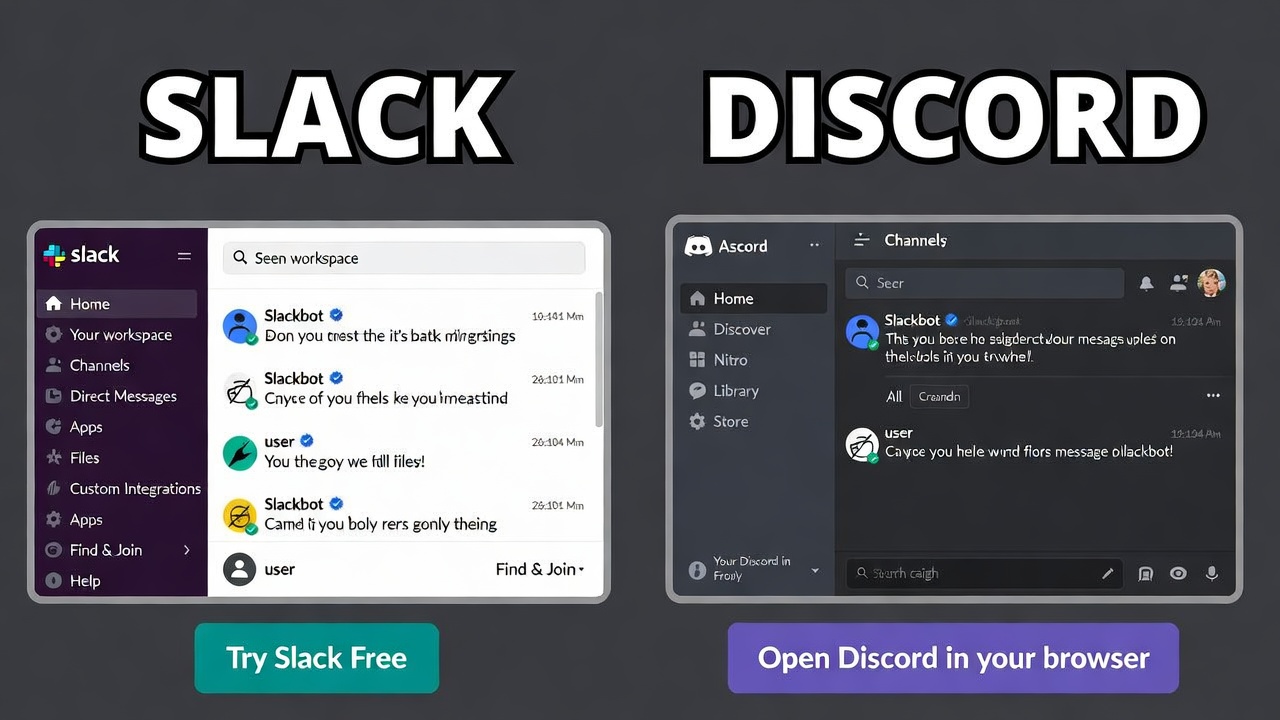
Slack presents a clean, business-focused interface. The left sidebar displays your channels, direct messages, and threads. Everything feels organized and professional.
The threaded conversation feature keeps discussions tidy. Team members can reply to specific messages without cluttering the main channel. This works brilliantly for project-based teams handling multiple topics simultaneously.
Navigation feels intuitive for most users. The search functionality helps you find past conversations quickly. Slack's interface minimizes distractions and keeps focus on work-related communication.
The platform offers eight customizable themes. Users can adjust the visual appearance to reduce eye strain during long work sessions.
Discord's Community-Oriented Design
Discord takes a different approach. The interface feels vibrant and social. Servers replace workspaces, and channels organize conversations within each server.
Voice channels remain always-on. Team members can drop in and out freely, creating a virtual office atmosphere. This spontaneity appeals to teams that value casual interaction.
The learning curve can be steeper for new users. Discord offers extensive customization options through bots and roles. While powerful, these features can overwhelm beginners.
Discord supports both light and dark modes. The interface allows deep personalization, from custom emojis to server icons and banners.
For teams prioritizing structure, Slack wins on simplicity. For groups wanting flexibility and customization, Discord offers more options.
Text Communication Features
Text messaging forms the backbone of remote team communication. Both platforms handle this core function but with different strengths.
How Slack Handles Messages
Slack organizes conversations into three main areas: direct messages, channels, and threads. This structure keeps work-related discussions separated and searchable.
Channels can be public or private. Public channels make information accessible to the entire team. Private channels work well for sensitive discussions or specific project groups.
The threading system stands out as Slack's killer feature. When someone replies to a message, the conversation branches into a thread. This prevents channel clutter and maintains context.
Slack allows mentions using the @ symbol. You can notify specific team members, entire channels, or everyone in the workspace. Custom keywords trigger notifications, ensuring important messages get attention.
Message formatting supports bold, italics, code blocks, and lists. The platform also offers message scheduling, letting you compose messages now and send them later.
Discord's Messaging Approach
Discord provides text channels and direct messages. Text channels live within servers, organizing conversations by topic or department.
The "See New Messages" feature helps users catch up on active discussions. You can jump directly to unread content without scrolling through everything.
Discord lacks the robust threading system Slack offers. Replies appear in the main channel flow, which can make long conversations harder to follow.
Message reactions work similarly across both platforms. Team members can respond with emojis, reducing unnecessary text replies.
Discord supports rich text formatting, embedded links, and file attachments. The platform also handles code blocks well, making it suitable for technical teams.
For structured project communication, Slack's threading gives it an edge. Discord works better for fast-paced, conversational teams.
Voice and Video Calling
Remote teams need reliable audio and video communication. These features often determine which platform teams choose.
Slack's Calling Features
Slack offers one-on-one voice calls on the free plan. Group calls require a paid subscription, limiting free users significantly.
Huddles provide a lightweight voice chat option. Think of them as informal audio spaces for quick discussions. Team members can start a huddle with a single click and others can join easily.
Huddles support screen sharing and video. This makes them perfect for impromptu meetings and brainstorming sessions. The casual nature encourages spontaneous collaboration.
Video calls in Slack work smoothly for smaller groups. The platform caps video participants at 50 on paid plans. For larger meetings, many teams integrate Zoom or Google Meet.
The audio quality remains solid and reliable. Slack uses standard video conferencing technology without specialized optimization.
Discord's Voice Superiority
Discord was built for voice chat. This shows in the platform's performance and features. Voice channels remain always-on, allowing team members to join whenever needed.
The audio quality excels even on the free plan. Discord uses gaming-grade infrastructure designed for low-latency communication. Background noise suppression works effectively without special settings.
Group calls support up to 100 participants in voice channels. Video calls accommodate 25 people simultaneously on the free plan. Nitro subscribers can see up to 25 video feeds at once.
Discord handles screen sharing without bandwidth issues. Streamers can broadcast at 1080p resolution or higher with Nitro. The Go Live feature makes presentations and demos smooth.
The persistent voice channels create a virtual office feeling. Team members see who's online and can jump into conversations naturally. This mimics in-person office dynamics better than scheduled calls.
For teams prioritizing voice communication, Discord wins hands down. Slack suits teams that primarily text and schedule formal meetings.
File Sharing and Storage
Sharing documents, images, and files is essential for remote collaboration. Both platforms handle this differently.
Slack's File Management
Slack integrates deeply with cloud storage services. Native support for Google Drive, Dropbox, and OneDrive makes file sharing seamless. Team members access files directly within conversations.
The free plan includes 5GB of total storage. This fills up quickly for active teams sharing images, videos, and documents regularly.
Paid plans offer 10GB to 20GB per team member. Enterprise plans provide unlimited storage. All files remain searchable within the workspace.
Slack displays file previews for common formats. PDFs, images, and documents show inline, reducing the need to download everything.
File organization happens through channels and threads. Finding old files requires using the search function or remembering which conversation contained them.
Discord's Approach to Files
Discord's free plan limits file uploads to 25MB per file. This restriction frustrates teams sharing large design files, videos, or presentations.
Nitro Basic increases the limit to 50MB. Full Nitro subscribers can upload files up to 500MB. For teams regularly sharing large files, this becomes expensive.
Discord offers unlimited message storage on all plans. Every file you upload stays accessible forever, unlike Slack's retention limits on free plans.
File organization depends on channel structure. Teams need to create dedicated channels for different file types or projects. The search function helps locate files by name or user.
Discord lacks native cloud storage integrations. Users must upload files directly or use third-party bots for automation.
For document-heavy teams, Slack's cloud integrations provide better workflow. Discord works fine for teams sharing occasional files under size limits.
Integration Ecosystem
Modern teams use dozens of specialized tools. Your communication platform should connect them smoothly.
Slack's Integration Powerhouse
Slack offers over 2,400 native integrations. This includes project management tools like Asana, Trello, and Monday.com. CRM systems like Salesforce and HubSpot connect seamlessly.
Developer tools integrate beautifully. GitHub, Bitbucket, and GitLab send automatic notifications to designated channels. Teams track code changes, pull requests, and deployments without leaving Slack.
The free plan allows 10 active integrations. Paid plans unlock unlimited integrations. Each integration appears as a bot that posts updates and responds to commands.
Workflow Builder lets non-technical users create automation. You can build forms, approval processes, and notification systems using a visual interface.
Slack's API documentation is comprehensive. Custom integrations require some technical knowledge but offer unlimited possibilities.
Discord's Bot Ecosystem
Discord supports integrations through third-party bots. Users visit bot directories like top.gg to find and install them. This decentralized approach offers flexibility but requires more setup.
Popular productivity bots handle scheduling, polls, music playback, and moderation. Bots can automate repetitive tasks and enhance server functionality.
Integration quality varies significantly. Some bots are professionally maintained, others are hobby projects. Teams must research reliability before relying on specific bots.
Discord offers webhooks for custom integrations. Developers can send automated messages from external services. However, this requires more technical knowledge than Slack's built-in options.
The free plan supports unlimited bot integrations. There's no artificial limit on functionality, unlike Slack's tiered approach.
For teams heavily invested in business software, Slack's native integrations save time and reduce friction. Discord works for tech-savvy teams comfortable managing custom solutions.
Pricing and Value
Budget considerations influence platform choices significantly. Let's break down the costs.
Slack Pricing Structure
Slack operates on a freemium model with four tiers:
Free Plan
- 90-day message history
- 10 third-party integrations
- One-on-one huddles and calls
- 5GB total storage
- Basic support
Pro Plan - $7.25/month per user
- Unlimited message history
- Unlimited integrations
- Group voice and video calls
- 10GB storage per user
- Enhanced support
Business+ Plan - $15/month per user
- All Pro features
- Advanced security controls
- SAML-based authentication
- 99.99% uptime guarantee
- Priority support
- Advanced AI features
Enterprise Grid - Custom pricing
- Unlimited workspaces
- Advanced admin controls
- Compliance features
- Dedicated support team
- Enterprise search
The minimum is three users for paid plans. Annual billing provides 17% savings compared to monthly payments.
Important note: Slack permanently deletes messages and files older than 90 days on the free plan. This creates data loss risks for long-term projects.
View Slack Pricing
Discord Pricing Options
Discord offers a generous free plan with optional individual subscriptions:
Free Plan
- Unlimited message history
- Unlimited servers
- Voice and video calls up to 100 participants
- 25MB file upload limit
- Basic customization
Nitro Basic - $2.99/month
- 50MB file uploads
- Custom emojis everywhere
- Custom video backgrounds
- Animated profile avatar
- Nitro badge
Nitro - $9.99/month
- 500MB file uploads
- HD video streaming (4K/60fps)
- Two server boosts
- Enhanced profile customization
- Extended custom emoji library
Discord's pricing is per-user, not per-team. Teams don't need everyone on Nitro. Only users needing larger file uploads or enhanced features pay the subscription.
This makes Discord significantly cheaper for large teams. A 100-person team could operate entirely on the free plan or spend $999 monthly if everyone wants Nitro. Compare this to Slack's $725+ monthly cost for the Pro plan.
Compare Discord Plans
Cost Comparison Reality Check
For small teams (10 people or less), Slack's Pro plan costs $72.50 monthly. Discord Nitro for all users would be $99.90 monthly. The pricing feels comparable.
For medium teams (50 people), Slack Pro runs $362.50 monthly. Discord remains free unless users want Nitro individually. This creates substantial savings.
For large teams (200+ people), Slack Business+ costs $3,000+ monthly. Discord's free plan handles this without charge. Even with half the team on Nitro, Discord costs $999 monthly.
The value equation depends on your needs. Slack's paid features include business integrations, security controls, and enterprise support. Discord's paid features focus on media quality and personalization.
Teams prioritizing productivity tools and integrations find Slack worth the investment. Teams focused on communication and community building save money with Discord.
Security and Compliance
Enterprise teams need robust security features. Let's examine what each platform offers.
Slack's Enterprise Security
Slack takes security seriously with enterprise-grade features. Business+ and Enterprise plans include:
- SAML-based single sign-on
- Two-factor authentication
- Enterprise key management
- Data loss prevention
- Advanced mobile device management
- Compliance with HIPAA, FINRA, and SOC standards
Slack retains data according to your plan. Free plans keep 90 days. Paid plans retain everything unless you configure custom retention policies.
Admins can enforce security policies across the workspace. This includes session duration controls, approved IP ranges, and mandatory encryption.
Slack provides detailed audit logs. Security teams can track user activity, data access, and policy violations.
Discord's Security Approach
Discord offers basic security features on all plans:
- Two-factor authentication
- IP logging for security purposes
- End-to-end encryption for direct calls
- Verified server badges
- Spam and abuse detection
Discord lacks enterprise compliance certifications. There's no HIPAA compliance, making it unsuitable for healthcare teams. Financial services teams miss FINRA compliance options.
Server owners control permissions and roles. This provides granular control over who accesses what. However, it requires manual configuration rather than centralized policy enforcement.
Discord doesn't offer enterprise key management or advanced data loss prevention. Large organizations with strict compliance requirements find these gaps problematic.
For regulated industries and enterprises, Slack's security features justify the cost. Smaller teams and startups find Discord's security adequate.
Mobile Experience
Remote teams work from anywhere. Mobile apps become essential productivity tools.
Slack Mobile Apps
Slack's mobile apps (iOS and Android) mirror the desktop experience. Users access channels, direct messages, and files seamlessly.
Notifications work reliably. You can customize notification settings per channel and adjust quiet hours. The app respects do-not-disturb settings across devices.
Mobile huddles let you join voice conversations on the go. The audio quality remains consistent whether you're on desktop or mobile.
File sharing works smoothly. You can upload photos directly from your camera or choose files from cloud storage. Document previews load quickly.
The mobile interface prioritizes frequently used features. Navigation feels natural for anyone familiar with mobile apps.
Discord Mobile Experience
Discord's mobile apps provide the full server experience. Users can join voice channels, participate in text chats, and manage server settings.
Voice chat quality matches desktop performance. The app handles background usage well, letting you listen while using other apps.
Push notifications can become overwhelming without careful configuration. Discord sends alerts for mentions, direct messages, and channel activity.
The mobile interface works best for communication. Administrative tasks like managing complex role permissions feel cramped on small screens.
Battery usage can be higher when staying connected to voice channels. However, Discord optimizes background audio to minimize drain.
Both platforms deliver solid mobile experiences. Your preference depends on whether you prioritize simplicity (Slack) or feature completeness (Discord).
Real-World Use Cases
Different teams have different needs. Let's explore which platform excels in specific scenarios.
When Slack Works Best
Professional Services Teams: Law firms, consulting agencies, and accounting practices need structure. Slack's threaded conversations and professional integrations support formal communication requirements.
Project-Based Organizations: Marketing agencies, software development teams, and design studios juggle multiple clients. Slack's channel organization and project management integrations keep everything organized.
Regulated Industries: Healthcare, finance, and legal sectors require compliance features. Slack's enterprise security and audit capabilities meet regulatory standards.
Integration-Heavy Workflows: Teams using Salesforce, Jira, Asana, or similar tools benefit from Slack's native integrations. Information flows automatically between systems.
Remote-First Companies: Organizations with formal remote work policies appreciate Slack's structured approach. The platform supports asynchronous communication and documentation.
When Discord Excels
Creative Communities: Game development studios, artist collectives, and content creators thrive on Discord. The platform supports community building and real-time collaboration.
Tech Startups: Early-stage companies with technical teams appreciate Discord's free plan and customization options. Bots automate workflows without subscription costs.
Education and Training: Online course creators, bootcamps, and study groups use Discord for student engagement. Voice channels facilitate live instruction and peer support.
Global Teams: Organizations with members across many time zones benefit from Discord's persistent voice channels. Team members connect naturally without scheduling.
Budget-Conscious Organizations: Nonprofits, volunteer groups, and bootstrapped startups maximize value with Discord's generous free plan.
Hybrid Approaches
Some organizations use both platforms strategically. They might use Slack for internal operations and Discord for community engagement. Customer support teams sometimes maintain Discord servers for user communities while using Slack internally.
This dual approach requires careful management. Information silos can form when communication splits across platforms. Teams must establish clear guidelines about what gets discussed where.
Performance and Reliability
Uptime and performance affect team productivity. Here's what you can expect.
Slack's Reliability Record
Slack maintains high uptime, typically exceeding 99.9% availability. The Business+ plan includes a 99.99% uptime guarantee with service credits for violations.
The platform handles large workspaces well. Organizations with thousands of users report stable performance. Message delivery happens reliably even during peak usage.
Slack occasionally experiences outages affecting specific features or regions. The company communicates transparently through status pages and social media.
Search performance can slow down in workspaces with extensive message history. This becomes noticeable in organizations with years of archived conversations.
Discord's Performance
Discord was engineered for low-latency voice communication. This foundation makes it extremely responsive for real-time interaction.
The platform handles massive servers with hundreds of thousands of members. Performance remains stable even in high-traffic communities.
Voice call quality excels even with poor internet connections. Discord's infrastructure adapts to available bandwidth automatically.
Rare outages typically affect specific regions rather than the entire service. Discord's status page provides real-time incident updates.
Both platforms deliver reliable service. Discord edges ahead on real-time performance, while Slack excels in enterprise reliability guarantees.
Customization and Flexibility
The ability to tailor your platform affects long-term satisfaction. Let's compare customization options.
Slack Customization
Slack allows workspace-level customization. Admins can:
- Create custom slash commands
- Build workflow automations
- Design app integrations
- Configure notification policies
- Customize user profiles
The Workflow Builder empowers non-developers to create automation. You can design approval processes, data collection forms, and notification systems visually.
Slack's API supports deep customization for technical teams. You can build private apps, modify the interface, and extend functionality significantly.
Theme options remain limited. Users choose from preset color schemes rather than fully custom designs.
Discord Customization Options
Discord offers extensive personalization at multiple levels:
- Server-specific roles and permissions
- Custom emojis and stickers
- Bot-powered automation
- Channel categories and organization
- Webhook integrations
Roles control access granularly. You can create dozens of roles with specific permissions for channels, moderation, and administrative functions.
Custom bots transform Discord servers completely. Teams can build moderation systems, game integration, analytics dashboards, and workflow tools.
Server customization includes icons, banners, invite screens, and verification requirements. This creates unique brand experiences.
For teams wanting maximum flexibility, Discord provides more customization potential. Slack offers powerful customization within a more structured framework.
Support and Documentation
When problems arise, good support matters. Here's what each platform offers.
Slack Support Resources
Slack provides tiered support based on your plan:
- Free Plan: Self-service help center and community forums
- Pro Plan: Email support during business hours
- Business+: Priority email support with faster response times
- Enterprise Grid: Dedicated support team with 4-hour response guarantee
The help center includes comprehensive documentation, video tutorials, and troubleshooting guides. Community forums let users help each other.
Slack Academy offers free training courses. Teams can learn best practices, advanced features, and administrative techniques.
For enterprise customers, Slack provides onboarding assistance and training programs. This helps large organizations deploy successfully.
Discord Support
Discord offers:
- Help center with articles and guides
- Community support through forums and Reddit
- Email support for all users (limited response time)
- Priority support for Nitro subscribers
The help center covers basic features well. Advanced topics sometimes lack detailed documentation.
Discord's community creates extensive third-party resources. YouTube tutorials, Reddit guides, and unofficial wikis fill knowledge gaps.
Response times for free users can be slow. Nitro subscribers receive faster support, though still not enterprise-level.
Slack wins clearly on enterprise support. Discord's community-driven approach works better for tech-savvy users comfortable with self-service.
Making Your Decision
Choosing between Slack and Discord depends on several factors. Consider these questions:
What's your team size?
- Small teams (under 10): Either platform works fine
- Medium teams (10-50): Discord saves money unless you need integrations
- Large teams (50+): Discord's free plan becomes extremely cost-effective
What's your industry?
- Regulated sectors: Slack provides necessary compliance features
- Creative fields: Discord supports community and collaboration
- Technology: Both work well; choose based on other factors
How do you communicate?
- Primarily text-based: Slack's threading excels
- Voice-heavy: Discord's always-on channels win
- Mixed: Consider your priority
What's your budget?
- Limited funding: Discord's free plan offers more
- Well-funded: Slack's integrations may justify costs
- Per-user costs matter: Discord scales cheaper
Do you need integrations?
- Heavy integration needs: Slack provides plug-and-play solutions
- Custom solutions acceptable: Discord works with technical setup
- Minimal integrations: Either platform suffices
What's your technical capability?
- Non-technical team: Slack's simplicity helps
- Tech-savvy users: Discord's customization shines
- Mixed expertise: Slack reduces training needs
Final Recommendations
Choose Slack if you need:
- Enterprise security and compliance
- Professional business integrations
- Structured project management
- Formal documentation and audit trails
- Guaranteed uptime and enterprise support
Choose Discord if you want:
- Cost-effective scaling for large teams
- Superior voice and video quality
- Community building features
- Unlimited message history on free plan
- Extensive customization options
Consider alternatives if:
- Budget is extremely tight: Try Pumble or Mattermost
- You need both platforms: Use them for different purposes
- Integration with Microsoft 365 is priority: Microsoft Teams might fit better
Both Slack and Discord serve remote teams effectively. Slack optimizes for professional productivity and integration. Discord excels at real-time communication and community building.
Your team's specific needs, budget, and work culture should drive the decision. Many successful remote teams use either platform and make it work through thoughtful implementation.
The "best" choice isn't universal. It's the platform that aligns with your team's communication style, technical requirements, and financial constraints.
Take advantage of free trials and free plans. Test both platforms with your actual team. Gather feedback from different departments. Make the decision based on real experience rather than features lists.
Remote work communication continues evolving. Whatever you choose today, stay flexible. The right tool for your team might change as you grow and your needs shift.
Start with the platform that solves your immediate pain points. You can always reassess later as your organization matures.
Quick Action Steps
Ready to get started? Here's what to do next:
- Identify your top three requirements from this guide
- Sign up for free accounts on both platforms
- Run a two-week trial with a small team
- Gather feedback from different user types
- Make your decision based on actual usage data
Start with Slack
Try Discord
Your remote team deserves the communication tools that empower rather than hinder collaboration. Take the time to choose wisely. The productivity gains and team satisfaction will justify the research investment.
Good luck building your connected, productive remote team!