You want to start coding. You've heard about online code editors. Now you're stuck between Replit and CodePen. Both platforms promise to make coding easier, but they work very differently.
I've spent hundreds of hours on both platforms. I've built projects, broken things, and learned what actually matters when you're just starting out. This guide will help you make the right choice based on what you really need.
What Makes Online Code Editors Special
Traditional coding requires you to install software on your computer. You need to set up environments, install dependencies, and troubleshoot installation errors before writing a single line of code.
Online code editors changed everything. You open a browser, start typing code, and see results instantly. No installation headaches. No configuration nightmares. Just pure coding.
Both Replit and CodePen offer this convenience, but they serve different purposes. One focuses on frontend web development. The other handles full-stack programming across multiple languages.
Try Replit
Try CodePen
CodePen: The Frontend Developer's Playground
CodePen launched in 2012 as a platform for web designers and frontend developers. It's a social development environment where you can write HTML, CSS, and JavaScript and watch your creation come alive instantly.
How CodePen Works
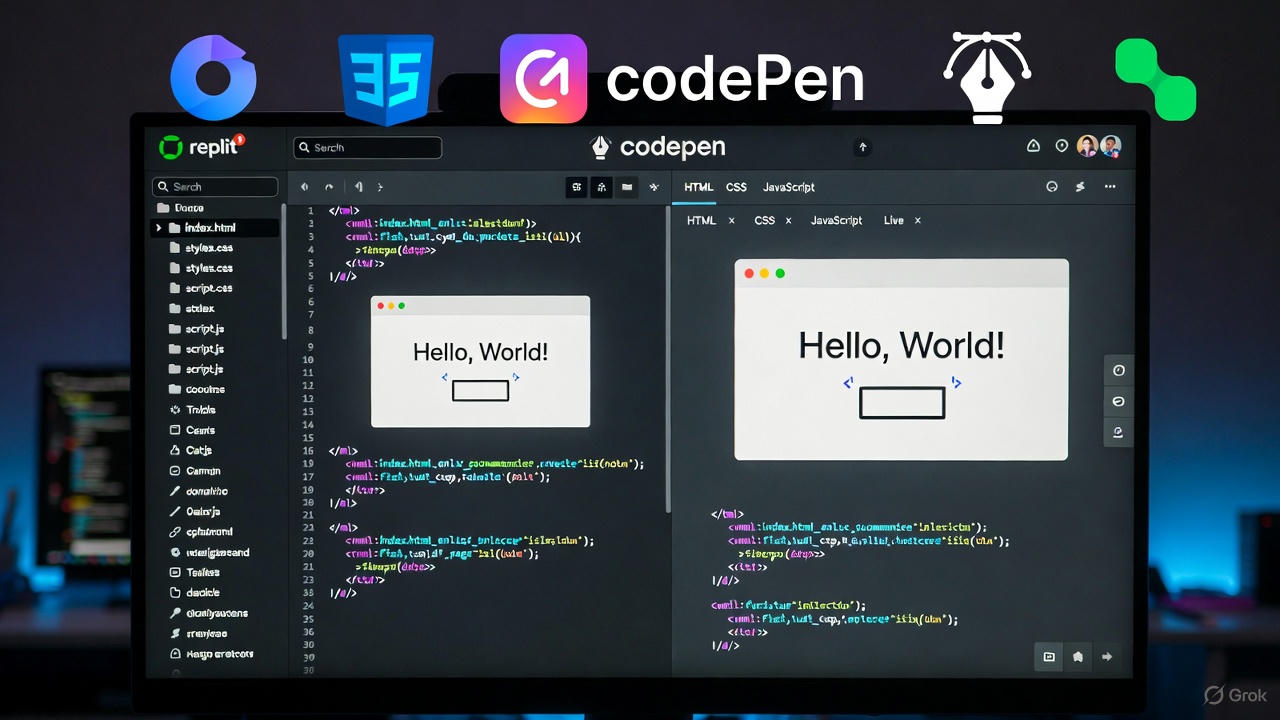
You get three panels on your screen. One for HTML, one for CSS, and one for JavaScript. Type code in any panel, and the preview updates automatically. It's simple, fast, and focused.
The platform calls each project a "Pen." You can make your Pens public to share with others or keep them private for your own practice. The community aspect is huge here. Developers showcase their best work, and you can fork any public Pen to learn from it.
CodePen's Best Features for Beginners
Instant Preview: You see changes happen as you type. This immediate feedback loop helps beginners understand how code affects the visual output. You change a color value, and boom---the color changes on screen.
Preprocessor Support: CodePen supports Sass, Less, Stylus for CSS, and Babel, TypeScript for JavaScript. You can also use Pug or Haml for HTML. This means you can learn modern web development tools without any setup.
External Libraries: Need jQuery? Want to use Bootstrap? CodePen lets you add external CSS and JavaScript libraries with a few clicks. You don't need to understand CDN links or script tags yet.
Community and Inspiration: Browse millions of Pens created by other developers. You can see a cool animation, click on it, and examine the code. This reverse-engineering approach teaches you faster than any tutorial.
Asset Hosting: Upload images, fonts, and other assets directly to CodePen. Beginners struggle with file paths and hosting. CodePen solves this problem completely.
What CodePen Doesn't Do Well
Backend Development: CodePen focuses on frontend only. You can't run Python, create databases, or build APIs. If you want to make a full web application with user authentication and data storage, CodePen won't help you.
File Organization: Everything lives in one Pen. You can't create multiple files or organize a project structure. This becomes limiting once you start building larger projects.
Version Control: CodePen doesn't integrate with Git. You can't track changes over time or collaborate using industry-standard tools. For beginners, this might not matter yet. But you'll need these skills eventually.
Limited Free Plan: The free version restricts you to one embedded Pen per profile. You also can't create private Pens without a paid account. For serious learners, this becomes a barrier.
CodePen Pricing
Free accounts work fine for learning. You get unlimited public Pens and all the basic features. The paid Pro plan starts at $8 per month when billed annually. This unlocks private Pens, professor mode (for teachers), and advanced features like collaboration mode.
Replit: The All-Purpose Coding Environment
Replit (formerly Repl.it) started in 2016 with a different mission. It wanted to make programming accessible in any language, not just web languages. Today, Replit supports over 50 programming languages.
How Replit Works
Replit provides a full IDE (Integrated Development Environment) in your browser. You get a file explorer, code editor, console, and shell---everything professional developers use, but without installation.
Each project is called a "Repl." When you create a Repl, you choose a programming language or template. Replit sets up the entire environment automatically. Want to code in Python? Done. Need a Node.js server? Ready in seconds.
Replit's Best Features for Beginners
Multiple Languages: Start with HTML/CSS, move to JavaScript, then learn Python, Java, C++, Ruby, or dozens of other languages. You don't need different tools for different languages. One platform handles everything.
Real Backend Development: Build actual web applications with databases, authentication, and APIs. Replit runs a real server for your project. You can create a chat application, blog platform, or game server that works like production websites.
File System Access: Create folders, organize files, and structure projects properly. This teaches you how real software projects are organized. You learn professional practices from day one.
Collaborative Coding: Invite friends to code with you in real-time. You both see the same screen, edit the same files, and debug together. This multiplayer coding feature makes learning less lonely.
Database Integration: Replit includes a built-in database. You can store data, create user accounts, and build dynamic applications without learning complex database setup.
Git Integration: Connect your Repls to GitHub repositories. Learn version control naturally as part of your workflow. This skill matters when you apply for jobs.
AI Assistant: Replit AI helps you write code faster. Ask it questions, get code suggestions, and debug errors. It's like having a mentor available 24/7.
Deployment: Your Repls run on real servers. Share a link, and anyone can use your application. This differs from local development where only you can see your work.
What Replit Struggles With
Interface Complexity: Replit's full IDE interface can overwhelm absolute beginners. You see many panels, buttons, and options. CodePen's three-panel simplicity feels less intimidating for your first week of coding.
Frontend Preview: Viewing HTML/CSS changes isn't as smooth as CodePen. You need to run the project and open a separate preview. CodePen's instant preview feels more magical for frontend work.
Performance: Some projects run slowly on Replit's free tier. The servers hibernate when not in use, causing delays when you first load your project. CodePen's static previews never have this issue.
Resource Limits: Free accounts have CPU and memory limits. Complex applications might hit these limits and stop working. You'll need to upgrade for serious projects.
Replit Pricing
The free plan lets you create unlimited public Repls with basic features. The Hacker plan costs $7 per month (billed annually) and gives you more resources, private Repls, and always-on projects. The Pro plan at $20 per month includes even more power and AI features.
Visit Replit
Visit CodePen
Frontend Development: Which Platform Wins?
Let's get specific. You want to learn HTML, CSS, and JavaScript to build beautiful websites. Which platform should you use?
CodePen wins for pure frontend learning. The instant preview, simple interface, and massive community make it perfect for beginners. You can start coding in literally 30 seconds.
Type <h1>Hello World</h1> in the HTML panel. See it appear. Change the CSS. Watch it update. This tight feedback loop helps you learn faster. You experiment more because it's so easy.
The community aspect matters more than you think. Browse CodePen's showcase. See incredible animations, creative layouts, and interactive designs. Click on any project, examine the code, and fork it to make your own version. This inspires you and shows what's possible.
Replit can do frontend development, but it's overkill. You need to set up a file structure, run a server, and open a preview window. The extra steps slow down learning when you're focusing on HTML and CSS basics.
However, Replit becomes necessary once you move beyond static websites. Want to make a website that stores user data? Need to call an API? Replit handles these tasks easily. CodePen can't.
Backend Development: No Contest Here
If you want to learn Python, build APIs, work with databases, or create full web applications, you need Replit. CodePen simply can't do these things.
Replit lets you build a complete Twitter clone with user authentication, tweet storage, and real-time updates. Try building that on CodePen. It's impossible.
The learning curve is steeper on Replit for backend work. You need to understand servers, databases, and application architecture. But Replit makes this as easy as possible. The platform handles deployment, hosting, and infrastructure automatically.
You write Python code. Replit runs it on a server. You add a database. Replit provisions it. You want HTTPS? Replit provides it. These would take hours or days to set up locally. Replit does it instantly.
Learning Different Programming Languages
CodePen locks you into web technologies: HTML, CSS, JavaScript, and their variants. If your goal is web design or frontend development, this is perfect. If you want to explore Python, Java, C++, or other languages, you're stuck.
Replit supports over 50 languages. Start with Python to learn programming basics. Move to Java when your computer science class requires it. Try C++ for a game development project. Experiment with Rust, Go, or any modern language. One platform, unlimited possibilities.
This flexibility matters more than beginners realize. You might start wanting to build websites, then discover you love data science (Python), mobile apps (JavaScript with React Native), or game development (C#). Replit grows with you. CodePen doesn't.
Community and Learning Resources
Both platforms have strong communities, but they work differently.
CodePen's community focuses on showcasing finished work. Browse the homepage, and you'll see stunning visual designs. The "Picked Pens" section highlights the best projects. This inspiration drives you to improve your frontend skills.
You can follow developers, like projects, and leave comments. The social aspect feels similar to Instagram or Behance. It's about showing off beautiful work and getting validation.
Replit's community is more educational and collaborative. The platform includes forums, tutorials, and live coding sessions. You can join coding competitions, participate in hackathons, and learn from others building similar projects.
The "Explore" section shows popular Repls across all categories. You'll find games, tools, bots, and web applications. The diversity exposes you to different types of programming.
Replit also has a strong presence on Discord and social media. The community helps each other debug issues, share resources, and collaborate on projects. It feels more like a study group than a portfolio showcase.
Education and Classroom Use
Teachers use both platforms, but they serve different educational needs.
CodePen works great for teaching web design and frontend development. The simple interface doesn't intimidate students. Teachers can create example Pens and share them easily. Students fork these Pens and modify them for assignments.
The Pro plan includes professor mode. This lets teachers create private classrooms, review student work, and provide feedback directly in CodePen. It streamlines grading for web design courses.
Replit shines for computer science education. It supports all the languages taught in CS courses: Python, Java, C++, and more. Teachers can create assignments, auto-grade submissions, and track student progress.
Replit's Team plans include classroom management tools. Teachers can see student code in real-time, help debug issues, and ensure no one falls behind. The collaborative features let students work on group projects easily.
Many universities and coding bootcamps use Replit because it eliminates setup time. No student struggles with installation issues. Everyone has the same environment. The class spends more time learning and less time troubleshooting computers.
Mobile Experience
Both platforms work on phones and tablets, but neither is ideal for serious coding on small screens.
CodePen's mobile site is responsive and functional. You can view Pens, browse the community, and make small edits. However, typing lots of code on a phone keyboard is frustrating. The three-panel layout gets cramped on small screens.
Replit offers a mobile app for iOS and Android. The app provides a full coding environment with a file tree, editor, and console. You can even code in Python, JavaScript, or any supported language on your phone.
The mobile experience is surprisingly good for quick edits or showing projects to friends. But you won't want to build large projects on a phone. The small screen and touch keyboard make extensive coding painful.
Both platforms excel on tablets. An iPad with a keyboard gives you a nearly desktop-level coding experience. This portability helps when you want to code during commutes or away from your main computer.
Performance and Reliability
CodePen's performance is excellent for frontend projects. Pens load fast, and the preview updates instantly. You won't experience lag or delays during typical use.
The platform rarely goes down. Since CodePen only handles frontend code, there's less infrastructure to fail. Your Pens stay accessible even during high traffic periods.
Replit's performance varies based on your plan. Free tier Repls hibernate after inactivity. When you return, the server takes 10-30 seconds to wake up. This delay frustrates users who expect instant access.
Paid plans get better performance. Always-on Repls stay awake and load immediately. You also get more CPU and memory for complex applications.
Replit has occasional service disruptions. Running actual servers for millions of users creates more opportunities for problems. Outages are rare but happen more often than CodePen's downtime.
Privacy and Security
CodePen's free plan makes all Pens public. Anyone can view your code, fork your projects, and see your work. This openness benefits learning but might concern privacy-conscious users.
Paid plans unlock private Pens. These stay hidden from search engines and other users. You control who can view your work.
Replit offers private Repls even on free accounts. You can hide projects from public view and control access. This privacy matters when you're building real applications with sensitive data.
Both platforms encrypt data in transit. Your code transfers securely between your browser and their servers. However, remember that your code lives on their servers, not your computer.
Never put real API keys, passwords, or sensitive credentials in either platform. Use environment variables and secrets management features instead. Both platforms offer ways to store sensitive data securely.
Integration with Other Tools
CodePen integrates well with design tools. Export Pens as screenshots or animated GIFs. Embed Pens in blogs, documentation, or portfolios. The embedding feature makes CodePen perfect for technical writers and educators.
You can't connect CodePen to GitHub or other development tools. This limitation becomes frustrating once you want to use professional workflows.
Replit offers extensive integrations. Connect to GitHub for version control. Use environment variables for API keys. Set up webhooks for automation. Import npm packages or Python libraries instantly.
The Git integration deserves special mention. You can push code to GitHub, pull updates, and manage branches directly from Replit. This teaches version control naturally while you code.
Replit also integrates with authentication providers. Add Google login, GitHub authentication, or email/password systems to your projects. These integrations let you build production-ready applications.
Building a Portfolio
Both platforms help you showcase your coding skills to potential employers or clients.
CodePen portfolios focus on visual impact. Your profile displays your best Pens in a grid. Employers can immediately see your frontend skills, design sense, and creativity.
Many frontend developers include their CodePen profile on resumes. It demonstrates hands-on experience better than listing skills. A great portfolio of Pens proves you can actually code, not just talk about it.
Replit portfolios demonstrate broader programming abilities. You can showcase web applications, games, APIs, and tools. Employers see you can build complete projects, not just frontend components.
The deployment feature makes Replit projects more impressive. You send a link to a working application. The employer clicks it and uses your creation immediately. This live demonstration beats static screenshots.
My recommendation: use both strategically. Build your best frontend work on CodePen for visual impact. Create full applications on Replit to show technical depth. Include both profiles in your portfolio.
Cost Comparison for Serious Learners
Let's talk money. You're learning to code. You want the best platform without breaking the bank.
CodePen's free plan works fine for learning HTML, CSS, and JavaScript. You only need Pro ($8/month) if you want private Pens or collaboration features. Most beginners never need to upgrade.
Replit's free plan is more limiting. Projects hibernate when inactive. You hit resource limits faster. For serious learning, the Hacker plan ($7/month) becomes necessary.
If you're only doing frontend development, CodePen is more cost-effective. The free plan suffices for years of learning.
If you're learning programming beyond frontend, Replit justifies the cost. The Hacker plan ($7/month) provides unlimited private Repls, always-on projects, and more resources. This investment pays off when you land your first programming job.
Students often get discounts on both platforms. Check if you qualify for educational pricing. Some teachers provide free access through classroom plans.
Get Started with Replit
Get Started with CodePen
Real-World Project Capabilities
CodePen excels at demos, prototypes, and frontend experiments. You can build:
- Interactive animations and CSS effects
- Responsive landing pages
- JavaScript games (simple ones)
- UI component libraries
- Data visualizations with D3.js
- Creative art with code
These projects showcase your skills but aren't "real" applications. They demonstrate concepts rather than solve actual problems.
Replit handles production-grade applications. You can build:
- Full web applications with databases
- Discord bots and chatbots
- REST APIs and GraphQL servers
- Data analysis tools
- Automation scripts
- Mobile app backends
- Real-time multiplayer games
These projects solve real problems. You can actually use them, share them with users, and put them on your resume as "real" experience.
Support and Documentation
CodePen's documentation covers the platform's features clearly. You'll find guides on using preprocessors, adding external libraries, and embedding Pens. The docs assume you already know HTML, CSS, and JavaScript basics.
For learning web development itself, CodePen's blog and community provide inspiration but not structured lessons. You'll need external tutorials and courses to learn the fundamentals.
Replit offers extensive documentation covering all supported languages. The tutorials section includes beginner-friendly guides for Python, JavaScript, web development, and more.
Replit's AI assistant provides personalized help. Stuck on an error? Ask the AI. Need code explanation? The AI breaks it down. This built-in mentorship helps beginners overcome obstacles faster.
Both platforms have active community forums. You can ask questions and get help from experienced developers. Response times vary, but someone usually helps within a few hours.
Which Platform Should You Choose?
After comparing everything, here's my honest recommendation:
Start with CodePen if you:
- Want to learn HTML, CSS, and JavaScript specifically
- Love visual design and creative coding
- Need instant feedback while learning
- Want to see amazing examples from other developers
- Plan to focus on frontend development
- Feel overwhelmed by complex interfaces
- Just want to start coding immediately without setup
Start with Replit if you:
- Want to learn programming beyond just web design
- Need to build full applications with backends
- Plan to learn multiple programming languages
- Want to deploy real projects that others can use
- Need database integration and authentication
- Want AI assistance while coding
- See yourself becoming a full-stack developer
Use both if you:
- Take learning seriously and want maximum exposure
- Need different tools for different projects
- Want the best tool for each specific task
- Don't mind managing two platforms
- Plan to build a comprehensive portfolio
Most beginners should try both platforms for a week each. Create a simple project on CodePen. Build something on Replit. See which interface feels more comfortable and which aligns better with your goals.
The good news? Both platforms offer generous free tiers. You don't need to commit financially before testing them thoroughly.
My Personal Journey and Recommendation
I started with CodePen three years ago. The instant preview hooked me immediately. I spent hours recreating designs I found online, learning CSS properties through experimentation.
CodePen taught me frontend fundamentals faster than video tutorials. The combination of seeing great examples and being able to fork them made learning feel like play rather than work.
Six months later, I hit CodePen's limitations. I wanted to build a to-do app that saved data. I needed a backend. CodePen couldn't help.
I moved to Replit and struggled initially. The interface felt complicated. I missed CodePen's simplicity. But after a week, Replit's power became clear. I built my first full-stack application---a blog with user accounts and comments. That project taught me more than a month of tutorials.
Today, I use both platforms regularly. CodePen for quick frontend experiments and CSS challenges. Replit for any project requiring a backend or multiple languages.
If I could only recommend one platform to a complete beginner, I'd say Replit. It has a steeper learning curve, but it doesn't limit your growth. You can start with simple HTML pages and eventually build complex applications without switching platforms.
The skills you learn on Replit transfer directly to professional development. File organization, version control, deployment, and full-stack thinking---these concepts prepare you for real jobs.
That said, CodePen remains unmatched for learning frontend development specifically. The combination of instant feedback, inspiring examples, and social features creates a perfect learning environment for HTML, CSS, and JavaScript.
Practical Steps to Get Started
Stop researching and start coding. Here's your action plan:
Week 1-2: Sign up for CodePen. Work through basic HTML and CSS tutorials. Create 5-10 simple Pens. Fork projects you find inspiring. Experiment with colors, layouts, and animations. Focus on understanding how HTML structure and CSS styling work together.
Week 3-4: Add JavaScript to your CodePen projects. Create interactive elements. Build a calculator, to-do list, or simple game. Explore the community. Find Pens that match your interests and study their code.
Week 5-6: Sign up for Replit. Start with their HTML/CSS/JavaScript template to ease the transition. Build the same projects you made on CodePen. Notice the differences in workflow.
Week 7-8: Choose a backend language (Python is beginner-friendly). Follow Replit's tutorials. Build a simple web application that stores data. Deploy it and share the link with friends.
Week 9+: Commit to the platform that fits your goals better. Cancel the other account or keep both for different purposes. Start building portfolio projects that showcase your skills.
Don't overthink this decision. Both platforms are excellent learning tools. Your progress depends more on consistent practice than choosing the "perfect" platform.
The developers who succeed aren't those who picked the best tools. They're the ones who started coding and never stopped. Pick one, start typing code, and build something today.
Your first project will probably look terrible. That's normal. Your tenth project will be better. Your hundredth will be impressive. The platform matters far less than your commitment to learning.
Conclusion
Replit and CodePen both make coding accessible to beginners. They eliminate setup barriers, provide instant feedback, and help you learn by doing.
CodePen focuses on frontend development with a simple, inspiring interface. It's perfect for learning HTML, CSS, and JavaScript through visual experimentation.
Replit provides a complete development environment supporting dozens of programming languages. It lets you build full applications with backends, databases, and deployment.
Neither platform is "better" overall. They serve different purposes. Your choice depends on your learning goals, preferred programming languages, and project types.
Try both platforms. Create a few projects on each. See which workflow feels more natural. Then commit to consistent practice on whichever platform aligns with your goals.
The best coding platform is the one you'll actually use. Stop reading articles and start writing code. Your programming journey begins the moment you create your first project.
Start Coding on Replit
Start Coding on CodePen
Now close this tab and write your first line of code. Your future developer self will thank you for starting today.