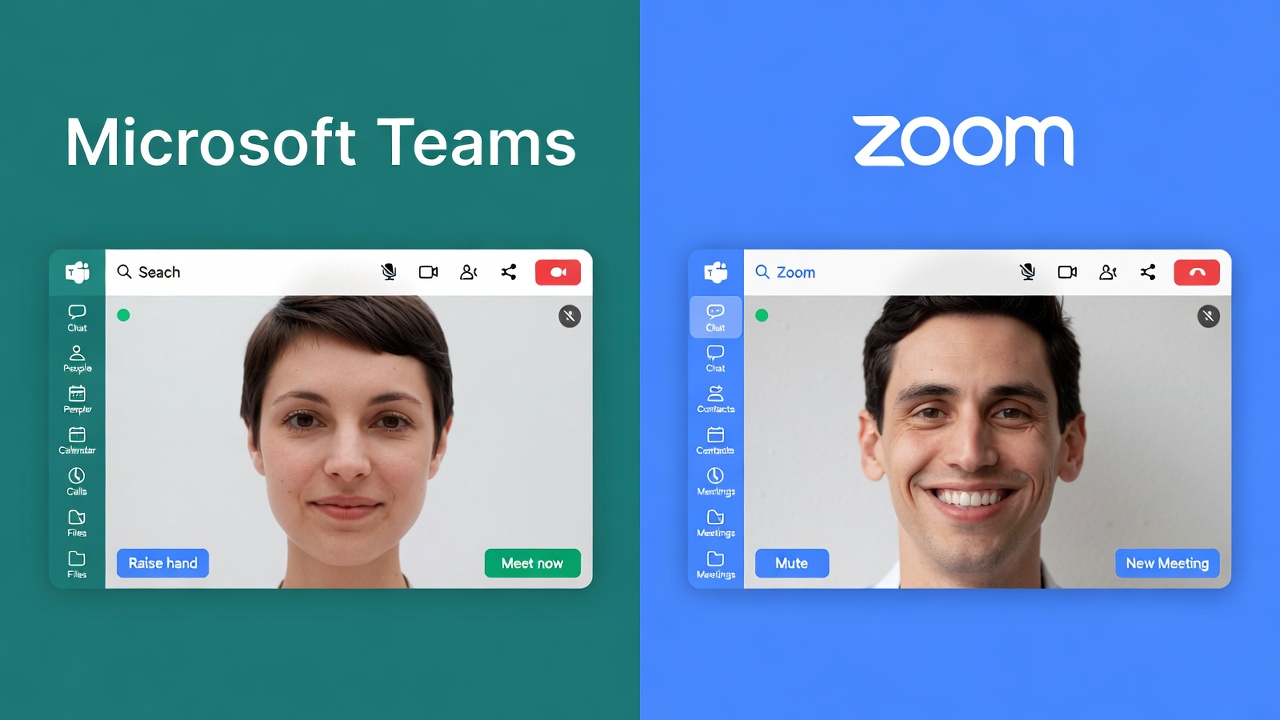
Remote work changed everything. Businesses scrambled to find reliable video conferencing software, and two names kept rising to the top — Microsoft Teams and Zoom. Both platforms dominate the virtual collaboration space, yet they serve users in very different ways.
This guide digs deep into both platforms. You'll walk away knowing exactly which tool fits your team's workflow, budget, and communication style.
Quick Comparison Table: Microsoft Teams vs Zoom
| Feature | Microsoft Teams | Zoom |
|---|
| Free Plan | Yes (limited) | Yes (40-min limit for groups) |
| Max Participants (Free) | 100 | 100 |
| Max Participants (Paid) | Up to 10,000 (webinars) | Up to 50,000 (webinars) |
| Video Quality | 1080p HD | 1080p HD |
| Screen Sharing | ✅ Yes | ✅ Yes |
| Breakout Rooms | ✅ Yes | ✅ Yes |
| In-App Chat | ✅ Yes (persistent) | ✅ Yes |
| File Storage | Up to 1 TB (Microsoft 365) | Limited |
| Third-Party Integrations | 700+ apps | 1,500+ apps |
| Microsoft 365 Integration | ✅ Native | ❌ Third-party |
| Whiteboard Feature | ✅ Yes | ✅ Yes |
| AI Features | Copilot AI assistant | Zoom AI Companion |
| End-to-End Encryption | ✅ Yes | ✅ Yes |
| Best For | Enterprise, Microsoft 365 users | All team sizes, webinars |
| Starting Paid Price | $6/user/month | $13.33/user/month |
What Is Microsoft Teams?
Microsoft Teams is a unified communication and collaboration platform built directly into the Microsoft 365 ecosystem. It goes beyond video calls — Teams acts as a hub where you can chat, call, share files, manage projects, and run virtual meetings all in one place.
Launched back in 2017, Teams has grown into one of the most widely used business communication tools in the world. Large enterprises love it because it plugs directly into tools they already pay for: Outlook, SharePoint, Word, Excel, and PowerPoint.
Think of Teams as your digital office headquarters. Conversations stay organized in channels, meetings get logged automatically, and everything connects back to your Microsoft environment.

What Is Zoom?
Zoom is a cloud-based video communications platform that skyrocketed in popularity when remote work became the norm. Its appeal sits in one core strength — it just works. No complicated setup, no steep learning curve. You click a link and join a meeting.
Zoom started as a video-first tool and has since expanded into chat, phone, webinars, and even event hosting. Developers, freelancers, healthcare providers, educators, and Fortune 500 companies all rely on it daily.
The platform earned a reputation for rock-solid video quality and ease of use that competitors still struggle to match. Its Zoom Webinars and Zoom Events products make it a go-to for businesses that run large-scale virtual events.

Core Features Head-to-Head
Video and Audio Quality
Both platforms deliver 1080p HD video on supported hardware. In real-world use, Zoom has historically held an edge in video reliability, especially on lower bandwidth connections. Its encoding technology adapts faster to network drops, keeping video smooth even when your internet hiccups.
Teams has narrowed that gap significantly with infrastructure improvements. On stable connections, you'll struggle to tell the difference. Zoom still wins slightly for users in areas with inconsistent internet access.
Winner: Zoom — slightly better performance on weak connections.
Ease of Use
Zoom wins here without debate. You create an account, download the app, and start a meeting in minutes. The interface stays clean, buttons sit exactly where you expect them, and new users get comfortable within one session.
Teams has a steeper learning curve. The platform packs dozens of features — channels, tabs, wikis, apps, connectors — and that depth can overwhelm users who just want to hop on a quick call. IT teams often need to configure it properly before it feels intuitive.
That said, once Teams clicks for a user, the productivity payoff is enormous.
Winner: Zoom — for simplicity and quick onboarding.
Chat and Messaging
Teams builds its entire identity around persistent messaging. Every team has organized channels, every conversation threads neatly, and nothing gets lost. You can reply directly to messages, @mention colleagues, react with emojis, and tag entire departments. Chat history stays intact indefinitely on paid plans.
Zoom Chat (now part of Zoom Team Chat) is solid but secondary. It functions well for quick messages around meetings, though it doesn't replace a dedicated messaging platform the way Teams does.
If your team lives in chat throughout the workday, Teams gives you a far richer experience.
Winner: Microsoft Teams — it's a genuinely powerful messaging system, not just a meeting add-on.
Meeting Capacity and Webinars
Zoom dominates for large-scale meetings and virtual events. Its Webinar product supports up to 10,000 attendees, and Zoom Events scales to 50,000 participants for massive virtual conferences. The attendee management tools, Q&A features, and registration systems are purpose-built for events.
Teams supports up to 1,000 participants in a standard meeting and 10,000 in town halls or webinars through Teams Premium. For most internal company meetings, that's more than enough. However, if you run large customer-facing webinars regularly, Zoom's toolset is more mature.
Winner: Zoom — for large events and webinars.
Integrations and App Ecosystem
Zoom integrates with over 1,500 third-party applications including Salesforce, HubSpot, Slack, Google Workspace, Dropbox, and hundreds more. That flexibility makes it easy to slot into nearly any existing tech stack.
Teams connects natively with the entire Microsoft 365 suite — which is a massive advantage if your company already pays for Office subscriptions. You get seamless access to SharePoint, OneDrive, Planner, Power BI, and more. Teams also supports 700+ external app integrations through its app marketplace.
The right answer depends on what you already use. Microsoft shop? Teams wins. Mixed environment or Google Workspace? Zoom fits better.
Winner: Tie — depends entirely on your existing software stack.
File Sharing and Storage
Teams integrates directly with SharePoint and OneDrive, giving every team up to 1 TB of storage on Microsoft 365 Business plans. Files shared in chats or meetings land in organized SharePoint libraries, searchable and accessible to the right people at any time.
Zoom offers file sharing during meetings and within Zoom Team Chat, but storage is limited compared to Teams. For document-heavy workflows, Teams handles collaboration on Word docs, Excel sheets, and PowerPoint files without anyone ever leaving the app.
Winner: Microsoft Teams — especially for document-heavy teams.
Security and Compliance
Both platforms take security seriously, though their approaches differ.
Teams benefits from Microsoft's enterprise security infrastructure — one of the most mature in the industry. It supports end-to-end encryption, advanced threat protection, compliance certifications (HIPAA, SOC 2, ISO 27001, GDPR), and detailed admin controls. For regulated industries like healthcare, finance, and government, Teams often checks compliance boxes that matter.
Zoom strengthened its security dramatically after facing criticism around "Zoom bombing" incidents. The platform now offers end-to-end encryption, waiting rooms, two-factor authentication, and granular meeting controls. It holds SOC 2, HIPAA, and FedRAMP compliance certifications.
Winner: Microsoft Teams — for heavily regulated industries and enterprise environments.
Background Effects and Virtual Backgrounds
Zoom offers a wide library of virtual backgrounds, blur effects, and video filters. The quality of its background replacement technology feels more polished, particularly for users without dedicated webcams.
Teams supports background blur and custom virtual backgrounds too. Its AI-powered background noise suppression has improved considerably, making voices clearer even in noisy environments. Both platforms now offer AI-powered video effects that adjust lighting and frame your face automatically.
Winner: Zoom — better background replacement quality overall.
AI Features
Both platforms have made significant investments in AI.
Microsoft Copilot in Teams generates meeting summaries, suggests action items, transcribes conversations in real time, and answers questions about past discussions. Because Copilot connects across the entire Microsoft 365 ecosystem, it can pull information from emails, documents, and calendar data to provide context-aware assistance. This feels genuinely powerful for knowledge workers.
Zoom AI Companion summarizes meetings, generates chat responses, creates email drafts from meeting notes, and offers real-time coaching during calls. It comes included with paid Zoom plans at no extra cost, while Teams Copilot requires a Microsoft 365 Copilot license priced separately.
Winner: Zoom AI Companion — better value; Microsoft Copilot is more powerful but costs extra.
Pricing Breakdown
Microsoft Teams Pricing
- Free — Unlimited chat, 60-minute meeting limit (upgraded from 40 mins), up to 100 participants, 5 GB storage
- Microsoft 365 Business Basic — $6/user/month — Unlimited meetings up to 300 participants, 1 TB storage, Microsoft 365 web apps
- Microsoft 365 Business Standard — $12.50/user/month — Full Office apps (Word, Excel, PowerPoint), advanced meeting features
- Microsoft 365 Business Premium — $22/user/month — Advanced security, compliance tools, Intune device management

Zoom Pricing
- Free — 40-minute limit on group meetings, up to 100 participants, unlimited 1:1 meetings
- Pro — $13.33/user/month — 30-hour meeting limit, 5 GB cloud storage, AI Companion included
- Business — $18.33/user/month — 300 participants, managed domains, company branding
- Business Plus — $22.49/user/month — Translated captions, workspace reservations
- Enterprise — Custom pricing — 1,000 participants, unlimited cloud storage, dedicated support

Microsoft Teams vs Zoom: Who Should Use Which?
Use Microsoft Teams If:
- Your organization already uses Microsoft 365 or Office 365
- You need a central hub for team communication, file sharing, and project management
- You work in a regulated industry that demands strict compliance and security controls
- Your team relies heavily on Word, Excel, or PowerPoint collaboration
- You want deep SharePoint and OneDrive integration for document management
- You run an enterprise with thousands of employees needing advanced admin controls
Use Zoom If:
- You want the easiest setup and lowest learning curve for your team
- You regularly host large webinars or virtual events with external audiences
- Your organization uses Google Workspace or non-Microsoft tools
- You need reliable video performance across varied internet conditions
- You want AI meeting summaries included in your plan without paying extra
- Your team includes external participants, clients, or contractors who join meetings frequently
Real-World Use Cases
Scenario 1: A 50-Person Marketing Agency
This team uses Google Workspace for email and docs, works with rotating freelancers, and hosts monthly client webinars. Zoom fits perfectly here. It integrates with Google tools, joining from a link takes seconds for external participants, and Zoom Webinars handles client events without friction.
Scenario 2: A 500-Person Financial Services Firm
This company runs on Microsoft 365, stores sensitive client data, needs HIPAA compliance, and wants employees to collaborate on documents during calls. Microsoft Teams is the clear choice. Compliance features, SharePoint integration, and native Office collaboration make it a natural extension of the work they already do.
Scenario 3: A Startup with 15 Employees
A small team with a tight budget that just needs solid video meetings and quick onboarding. Zoom's free tier or Pro plan serves this team well. The interface stays simple, costs stay low, and meetings run reliably.
Pros and Cons Summary
Microsoft Teams
Pros:
- Deep Microsoft 365 ecosystem integration
- Persistent, organized team channels
- Superior file storage and document collaboration
- Enterprise-grade security and compliance
- Strong admin controls for IT departments
- Copilot AI (powerful, but separate cost)
Cons:
- Steeper learning curve for new users
- Can feel overwhelming for simple video call needs
- Copilot AI requires additional licensing
- Resource-heavy desktop application
Zoom
Pros:
- Extremely easy to set up and use
- Best-in-class video quality and reliability
- Largest ecosystem for webinars and events
- AI Companion included in paid plans at no extra cost
- Works smoothly across all operating systems and devices
- Strong third-party integration library
Cons:
- Chat features less robust than Teams
- File storage is limited compared to Teams
- Free tier has 40-minute group meeting restriction
- Less suited for document-heavy workflows
The Verdict: Microsoft Teams vs Zoom
There's no universal winner — and that's actually good news for buyers.
Zoom wins for simplicity, video quality, and large-scale virtual events. If you want meetings that just work, with minimal training and maximum reliability, Zoom earns its reputation every single day.
Teams wins for deep collaboration, document management, and Microsoft-centric organizations. If your team lives inside Office apps and needs a single platform for communication, file sharing, and project coordination, Teams delivers a level of integration that Zoom simply can't match.
The honest answer for many businesses? Both tools can coexist. Some organizations use Teams for internal collaboration and Zoom for external client meetings or large webinars. That hybrid approach gives you the best of both platforms.
Platform Performance on Different Devices
Desktop Performance
Teams runs as an Electron-based desktop application, which means it can consume significant RAM — often 500MB to 1GB during active use. Teams users on older machines or laptops with limited RAM sometimes notice slowdowns when running Teams alongside other heavy apps.
Zoom's desktop client runs leaner. It handles video processing more efficiently, which translates to smoother performance on mid-range hardware. Zoom also offers a web browser version that requires no download, which Teams also supports but with fewer features.
If your team uses a mix of new and older machines, Zoom tends to run more reliably across the board.
Mobile Experience
Both apps run on iOS and Android. Zoom's mobile app receives consistently higher ratings in both the App Store and Google Play, largely because the interface translates cleanly to touch screens. Joining meetings, managing participants, and sharing screens all feel natural on mobile.
Teams mobile is capable, but the channel-based interface adds complexity that doesn't simplify as well on smaller screens. You might find yourself pinching and zooming to navigate conversations that scroll easily on desktop.
For field teams or workers who primarily use smartphones, Zoom offers a smoother daily experience.
Customer Support Comparison
Zoom offers 24/7 live chat support on paid plans and has an extensive help center with tutorial videos, community forums, and documentation. Its support team is known for fast response times and practical solutions.
Microsoft Teams support runs through the broader Microsoft support ecosystem. Enterprise customers get dedicated support representatives with fast escalation paths. Smaller business plan users typically navigate the support portal, which works well but lacks the immediacy of Zoom's live chat for urgent issues.
For quick troubleshooting without enterprise contracts, Zoom's support wins for accessibility.
Frequently Asked Questions
Can Microsoft Teams and Zoom work together?
Yes. You can add Zoom as an app inside Microsoft Teams, allowing you to schedule and start Zoom meetings directly from the Teams interface. Many organizations run both tools side by side.
Is Microsoft Teams free?
Teams offers a free plan with unlimited chat, 60-minute meeting limit, and up to 100 participants. The paid plans unlock longer meetings, more storage, and full Microsoft 365 app access.
Does Zoom work on mobile devices?
Yes. Zoom offers fully featured iOS and Android apps. Teams also runs on mobile, though the desktop experience tends to be richer for both platforms.
Is Zoom safer than Microsoft Teams?
Both platforms offer end-to-end encryption and strong security certifications. Teams edges ahead slightly for regulated industries due to Microsoft's compliance infrastructure. Zoom has improved its security dramatically and meets enterprise standards for most industries.
Which platform handles breakout rooms better?
Both support breakout rooms. Zoom's implementation has more mature controls — hosts can pre-assign participants, set timers, and broadcast messages to all rooms simultaneously. Teams added breakout rooms later and has caught up considerably but Zoom still leads in flexibility.
Final Thoughts
Both Microsoft Teams and Zoom earned their spots at the top of the video conferencing market. They serve different needs, fit different company cultures, and shine in different scenarios.
Before committing, take advantage of both free tiers. Let your actual team members try each platform for a couple of weeks and gather honest feedback. The tool that gets used consistently beats the "objectively better" tool gathering dust every time.
Your meetings drive business forward. The right platform makes that process smoother, faster, and far less frustrating for everyone involved.


Related tools worth exploring: Google Meet | Webex by Cisco | Slack | GoTo Meeting