You have two messaging apps open on your phone. One has a cute purple robot logo. The other has a paper plane flying through the air. Both promise fast, free communication — but they work in very different ways and attract very different types of users.
That's the Discord vs Telegram debate in a nutshell.
Both platforms have grown massively in the last few years. Discord now hosts over 500 million registered users, while Telegram surpassed 900 million monthly active users. These numbers alone tell you that millions of real people see real value in each platform. So the question isn't really "which one is better" — it's "which one is better for you."
In this post, we break down everything that matters: features, privacy, security, community tools, file sharing, customization, and the day-to-day experience of using each app. By the time you finish reading, you'll know exactly where your people are and where you should be.
Quick Overview: What Is Discord?
Discord started as a voice chat app for gamers. It launched in 2015 and quickly became the go-to platform for gaming communities who wanted a free, lag-free alternative to TeamSpeak and Skype.
Today, Discord has grown far beyond gaming. You'll find servers dedicated to programming, art, music, finance, mental health support, book clubs, and almost anything else you can imagine. The core structure revolves around servers — dedicated community spaces with channels organized by topic.
Discord is a community platform first. One-on-one messaging exists, but it's not the app's main identity. The real magic happens inside organized, active communities.
➡️ Download Discord
Quick Overview: What Is Telegram?
Telegram launched in 2013 and built its reputation on speed and privacy. Russian entrepreneur Pavel Durov created Telegram after leaving VKontakte, citing growing government pressure on user data. From day one, privacy was baked into Telegram's DNA.
Telegram sits somewhere between a personal messaging app and a community platform. You can use it to chat one-on-one, create group chats, build massive public channels with millions of subscribers, or even launch bots and mini-apps.
Telegram is a messaging app that evolved into a publishing and community platform. It gives individuals and organizations a powerful, privacy-respecting tool for reaching audiences and running groups.
➡️ Download Telegram
Discord vs Telegram: Head-to-Head Comparison Table
| Feature | Discord | Telegram |
|---|
| Primary Use Case | Community servers, gaming, group voice/video | Messaging, channels, privacy-focused groups |
| Max Group Size | 500,000 members per server | 200,000 members per group |
| Voice & Video Calls | ✅ Excellent (built-in Stage Channels, Go Live) | ✅ Basic (1-on-1 and group calls) |
| End-to-End Encryption | ❌ Not available | ✅ Only in Secret Chats |
| Cloud Storage | Limited (paid plans for larger uploads) | Unlimited cloud storage |
| File Size Limit | 25MB free / 500MB with Nitro | 2GB per file |
| Bots & Automation | ✅ Extensive bot ecosystem | ✅ Powerful bot API |
| Screen Sharing | ✅ Yes | ❌ No |
| Anonymous Account | ❌ Requires email/phone | ✅ Phone number (can hide it) |
| Self-Destruct Messages | ❌ No | ✅ Yes (in Secret Chats) |
| Channel Broadcasts | ❌ No broadcast-only channels | ✅ One-way broadcast channels |
| Open Source | ❌ No | ✅ Client-side open source |
| Threads | ✅ Yes | ✅ Yes (Topics feature) |
| Free Plan | ✅ Yes | ✅ Yes |
| Paid Plan | Discord Nitro ($9.99/mo or $99.99/yr) | Telegram Premium ($4.99/mo) |
| Platform Support | Windows, Mac, Linux, iOS, Android, Web | Windows, Mac, Linux, iOS, Android, Web |
User Interface and Experience
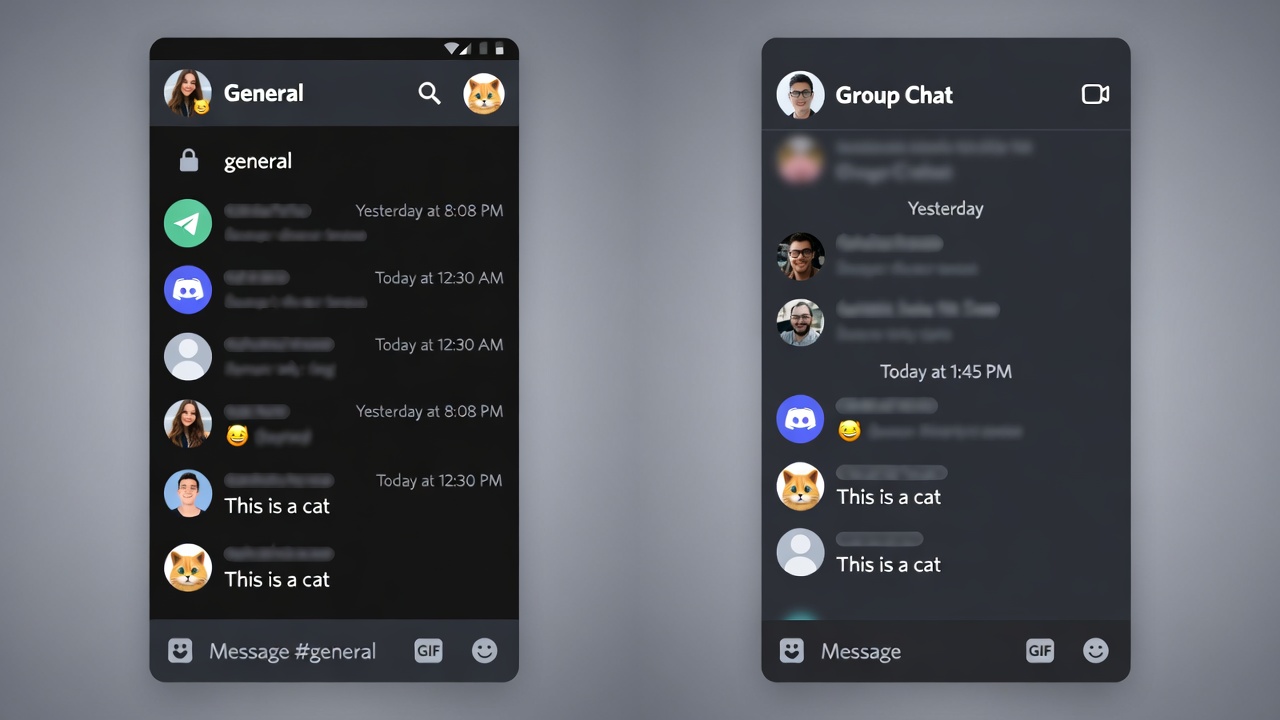
Discord uses a sidebar-heavy layout. Your list of servers sits on the far left, channels appear in a second panel, and your chat occupies the main window. New users sometimes find this layout overwhelming — there's a lot happening on screen at once. However, once you learn how to navigate it, the layout becomes incredibly efficient for jumping between active communities.
Voice channels in Discord appear in the server sidebar, meaning you can drop into a voice chat with a single click. That immediacy is one of Discord's biggest strengths.
Telegram feels more like a traditional messaging app. Your conversations appear in a clean, single-column list. Tap a chat, read your messages, reply — that's the flow. It feels instantly familiar even to people who've never used it before.
Telegram's interface is cleaner and faster to learn. Discord's interface is more powerful but has a steeper learning curve.
Winner for simplicity: Telegram
Winner for community navigation: Discord
Privacy and Security
This is where things get interesting — and where the two apps take very different philosophical positions.
Discord collects a fair amount of data. Your messages, voice activity, connected accounts, and usage patterns all feed into Discord's systems. Discord's terms of service allow the company to use your data for various purposes, and messages in servers are not encrypted end-to-end. Discord has also cooperated with law enforcement in documented cases.
Discord requires an email address to sign up. You can't create an account without leaving some kind of digital footprint tied to your identity.
Telegram markets itself as a privacy-forward alternative to mainstream messaging apps. However, it's worth being precise about what that actually means:
- Regular chats and group chats on Telegram are not end-to-end encrypted. They are encrypted in transit and stored on Telegram's servers.
- Secret Chats are fully end-to-end encrypted and leave no trace on Telegram's servers.
- Telegram collects your phone number but allows you to hide it from other users.
- Pavel Durov has publicly stated that Telegram has never shared user data with governments — though the platform faced significant legal pressure in several countries.
For truly sensitive conversations, Telegram's Secret Chat feature is genuinely private. For casual use, Telegram isn't dramatically more private than Discord.
Winner for privacy-conscious users: Telegram (especially with Secret Chats)
Winner for casual community use: Discord (privacy concerns are less relevant)
Voice and Video Communication
Discord absolutely dominates this category. Voice communication is one of the core reasons the platform exists, and it shows in the quality and features available.
Discord voice features include:
- Persistent voice channels (no call to initiate — just join and leave)
- Go Live screen sharing with video overlay
- Stage Channels for large structured voice events
- Noise suppression powered by Krisp
- Echo cancellation
- Server-wide voice quality settings
The persistent voice channel model is genius for communities. You don't need to schedule a call — you just show up in a channel and whoever else is around joins you. It mirrors how people naturally hang out.
Telegram voice features include:
- One-on-one voice and video calls
- Group voice calls (supports hundreds of participants)
- Voice Chats in groups
- Noise reduction
Telegram's voice quality is solid, but the experience lacks the depth and polish that Discord offers. There are no persistent channels, no screen sharing, and no structured broadcast formats like Stage Channels.
Winner: Discord — and it's not close.
File Sharing and Storage
This is one of Telegram's clearest advantages over Discord.
Telegram allows you to send files up to 2GB per file with no overall storage limits. Your files are stored in Telegram's cloud indefinitely and accessible from any device. Many users genuinely use Telegram as a personal cloud storage solution, saving documents, photos, and videos to their personal "Saved Messages" chat.
Discord caps free file uploads at 25MB. That's enough for small images and short clips, but it won't cut it for larger video files, high-res photos, or substantial documents. Upgrading to Discord Nitro raises the limit to 500MB, but that still falls well short of Telegram's 2GB cap.
For creators, developers, and anyone who regularly shares large files, Telegram's generous limits make a real difference.
Winner: Telegram, decisively.
Bots and Automation
Both platforms have powerful bot ecosystems, but they serve different purposes.
Discord bots are deeply embedded in server culture. Popular bots handle moderation (MEE6, Dyno), music playback (Groovy alternatives, Rythm alternatives), games (Dank Memer), polls, reaction roles, welcome messages, and much more. Bots are how Discord server admins automate and enhance their communities.
The Discord bot library is massive. Thousands of pre-built bots exist on sites like top.gg, and developers can build custom bots using Discord's well-documented API.
Telegram bots are arguably more versatile in what they can do outside of community management. Telegram's Bot API lets developers build:
- Payment bots
- Mini-apps with full web interfaces
- Customer service automation
- Scheduling and reminder tools
- Content delivery systems
- Polls and quizzes
Telegram's BotFather lets anyone create and manage bots with simple commands. No coding required for basic setups. The Telegram mini-app ecosystem has expanded significantly, turning bots into full-featured apps that run inside Telegram.
Winner for community management: Discord
Winner for versatile external automation: Telegram
Community Building and Management
Discord is purpose-built for communities. Every feature the platform offers feeds back into the community-building experience:
- Roles and permissions systems let admins control exactly who can see and do what
- Category organization keeps large servers navigable
- Thread support lets conversations branch without cluttering main channels
- Scheduled events show up on a shared server calendar
- Announcements channels push notifications to followers across servers
- Server discovery helps new members find your community
If you want to build a thriving, organized online community, Discord gives you the best toolkit available at no cost. Large servers with hundreds of channels, dozens of roles, and thousands of active members run smoothly on Discord's infrastructure.
Telegram handles communities through two main structures: Groups and Channels.
Groups support up to 200,000 members and allow all participants to send messages. Channels are broadcast-only — only admins post, and everyone else reads. Channels can have unlimited subscribers, making them powerful tools for newsletters, news feeds, and content distribution.
Telegram groups lack the organizational depth of Discord servers. There are no categories, no fine-grained role systems, and no voice channels — but for simple group conversations, Telegram groups work well and feel less intimidating to non-technical users.
Winner for deep community building: Discord
Winner for simple groups and broadcast channels: Telegram
Content Discovery
Discord has a server discovery feature that lets users browse public servers by category. It's a decent way to find communities, though the discovery algorithm tends to surface only the largest servers. Smaller, niche communities can be hard to find organically.
Telegram relies heavily on search and external links. Users search for channels and groups by username or keyword. Many Telegram channel curators share invite links through social media, forums, and websites. There's no centralized directory as polished as Discord's discovery page.
Winner: Discord, for its more organized discovery system.
Gaming Features
Discord's roots are in gaming and that heritage still shapes the platform today.
Discord offers:
- Rich Presence — displays what game you're playing to your friends
- Game overlays — see who's talking without leaving your game
- Activities — play games like poker, watch YouTube together, or collaborate in a whiteboard directly inside Discord
- Game deals — Discord sometimes surfaces game promotions and sales
- Party features — invite friends to join your game session directly through Discord
Telegram has no gaming-specific features. This category belongs entirely to Discord.
Winner: Discord.
Customization and Appearance
Discord allows users to customize their profile with avatars, banners, bio text, and profile effects (with Nitro). Servers can have custom emoji, stickers, and soundboards. The overall app theme is limited — dark mode and light mode, with some color accent options.
Discord Nitro unlocks animated avatars, custom profile banners, server boosting, and access to emojis across all servers.
Telegram offers themes, custom colors, chat backgrounds, and animated stickers. Telegram Premium users get exclusive stickers and reactions. The customization is more visual and personal compared to Discord's community-focused customization.
Winner: Tie — Discord wins for server/community customization, Telegram wins for personal visual customization.
Monetization and Paid Plans
Discord Nitro costs $9.99/month or $99.99/year and offers:
- 500MB file upload limit
- Animated avatars and profile banners
- Custom Discord tag
- Server boosting (2 free boosts)
- Access to server emojis globally
- HD video streaming (up to 4K)
- Profile effects and themes
➡️ Explore Discord Nitro
Telegram Premium costs $4.99/month and offers:
- 4GB file upload limit (vs 2GB free)
- Faster download speeds
- Voice message transcription
- Exclusive stickers and reactions
- No ads in public channels
- Premium profile badges
- Auto-translation of messages
➡️ Explore Telegram Premium
Both free tiers are genuinely usable. Neither platform forces you to pay to access core functionality.
Winner for value: Telegram Premium at $4.99/month offers strong utility improvements at half Discord Nitro's price.
Cross-Platform Performance
Both apps run on Windows, Mac, Linux, iOS, Android, and web browsers. Both are fast and relatively lightweight.
Discord's desktop app is built on Electron, which means it uses more RAM than a native app would. Heavy Discord users sometimes notice it consuming 500MB or more of RAM. The mobile app performs well but battery consumption can be notable during active voice calls.
Telegram's desktop app is available as both an Electron app and a native app on some platforms. The native macOS version runs especially efficiently. Telegram is generally faster to load and lighter on system resources than Discord.
For users on older hardware or devices with limited RAM, Telegram's lighter footprint is a genuine advantage.
Winner for performance: Telegram.
Who Should Use Discord?
Discord is the right choice if you:
- Want to build or join an active online community
- Need high-quality voice and video communication
- Play games and want seamless gaming integration
- Manage a community with complex role and permission needs
- Run events, AMAs, or structured voice conversations
- Already have a fanbase or audience to migrate to a server
Discord works especially well for: gaming groups, fan communities, developer communities, student organizations, content creator audiences, and hobbyist clubs.
Who Should Use Telegram?
Telegram is the right choice if you:
- Value privacy and want optional end-to-end encryption
- Share large files regularly
- Want a fast, lightweight messaging experience
- Run a news feed, newsletter, or content channel
- Need powerful bot automation for business workflows
- Live in a region where you want to avoid data collection
- Want unlimited cloud storage for personal files
Telegram works especially well for: journalists, activists, content publishers, businesses using automation, international users, and privacy-conscious individuals.
Can You Use Both?
Absolutely — and many people do.
A common setup is using Telegram for private conversations and file storage while using Discord for community engagement and gaming. The two platforms don't really compete for the same core use cases once you dig into them. They overlap in the "group chat" category, but Telegram is stronger as a messaging and privacy tool while Discord is stronger as a community and voice platform.
Final Verdict: Discord vs Telegram
There's no universal winner here. The right platform depends entirely on what you need.
Choose Discord if community building, voice communication, and gaming are your priorities. Discord is the best platform on the market for creating and managing organized online communities, and its voice features are genuinely unmatched.
Choose Telegram if privacy, large file sharing, simple messaging, and lightweight performance matter most to you. Telegram's unlimited storage, 2GB file limit, and optional Secret Chat encryption give it a distinct edge for privacy-aware users and content publishers.
Both platforms are free, both are actively developed, and both have massive user bases that guarantee you'll find people to connect with on each one.
Useful Resources