Team communication tools have become the backbone of modern workplaces. When remote work and hybrid teams are the norm, picking the right messaging platform can make or break your team's productivity. Two major players stand out in this space: Slack and Mattermost. Both promise to streamline communication, but they take very different approaches to getting there.
This comprehensive guide breaks down everything you need to know about these two platforms. You'll discover their key features, pricing models, security capabilities, and which one aligns best with your team's requirements.
What Makes Slack Popular?
Slack burst onto the scene and quickly became the household name in team messaging. The platform focuses on making workplace communication feel effortless and even enjoyable.
The interface feels intuitive from day one. You can organize conversations into channels based on projects, departments, or topics. Direct messages keep private conversations separate from group discussions. The search function helps you dig up old messages, files, or links in seconds.
What really sets Slack apart is its massive ecosystem of integrations. The platform connects with thousands of third-party apps and services. Google Drive, Salesforce, Zoom, Trello – if your team uses it, Slack probably integrates with it. This connectivity turns Slack into a central hub where work happens instead of just another place where people talk.
The app runs smoothly across desktop, web, and mobile platforms. You can switch between devices without missing a beat. Voice and video calls come built-in, though the quality and features depend on your subscription tier.
Slack also offers powerful workflow automation through Slack Workflow Builder. Teams can create custom automations without writing code. Think automated welcome messages for new hires, approval processes, or daily standup reminders.
Try Slack Free
Understanding Mattermost's Approach
Mattermost takes a different path. This open-source platform gives organizations complete control over their communication infrastructure.
The biggest draw for Mattermost is self-hosting capability. You can install it on your own servers, whether that's on-premises hardware or a private cloud environment. This means your messages, files, and data never leave your controlled infrastructure. For industries with strict compliance requirements or security concerns, this matters tremendously.
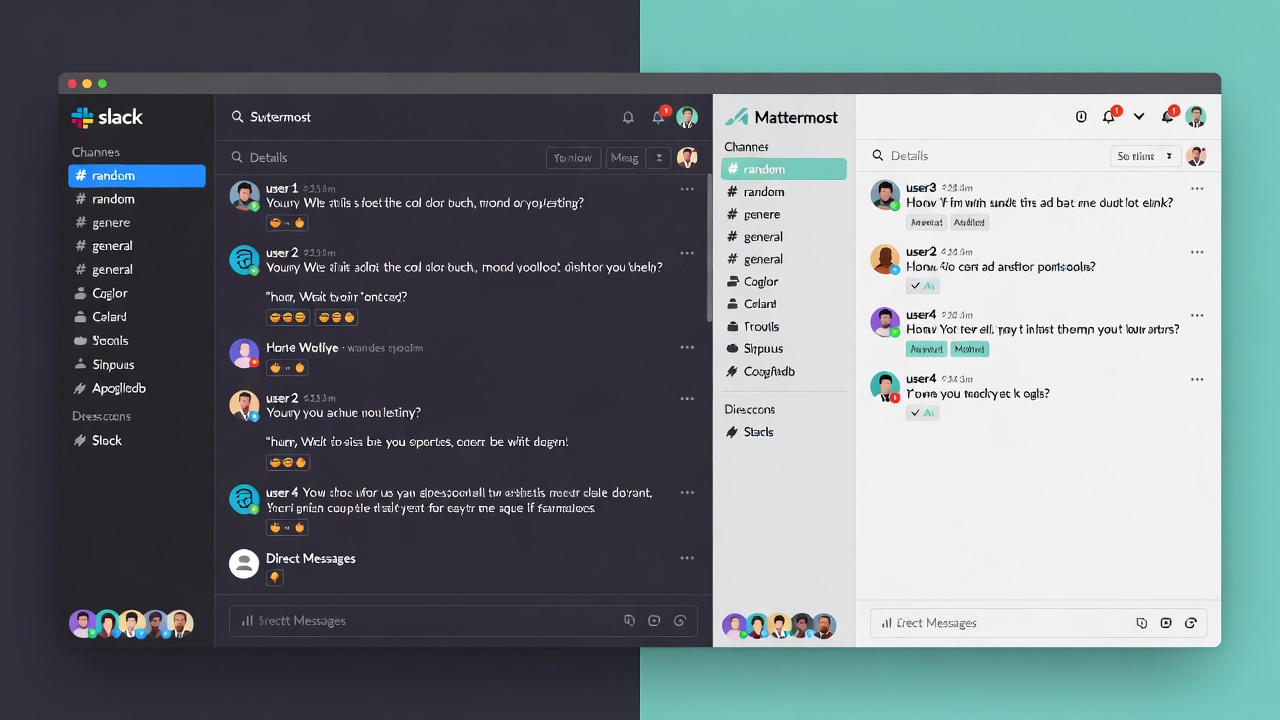
The interface looks familiar if you've used Slack before. Mattermost adopted similar design patterns – channels, direct messages, threaded conversations. This makes the learning curve gentle for teams transitioning from other platforms.
Being open-source means developers can inspect the entire codebase. Your security team can audit exactly how the software handles data. If something doesn't work the way you want, you can modify it. The community contributes plugins, integrations, and improvements constantly.
Mattermost supports extensive customization. You can white-label the application with your company branding. Developers can build custom integrations using the API. The platform offers both cloud and self-hosted deployment options, giving you flexibility as your needs change.
The platform includes features like message boards for long-form discussions, playbooks for repeatable processes, and integrated voice calling. Teams can collaborate on projects without jumping between multiple tools.
Get Mattermost
Feature Comparison Breakdown
| Feature | Slack | Mattermost |
|---|
| Deployment | Cloud-based | Self-hosted & Cloud |
| Source Code | Proprietary | Open-source |
| Message History | Limited on free plan | Unlimited |
| File Storage | 10GB free, more on paid plans | Configurable based on server |
| Video Calls | Built-in (Huddles) | Built-in + integrations |
| Screen Sharing | Yes (paid plans) | Yes |
| Third-party Apps | 2,400+ integrations | 700+ plugins/integrations |
| Custom Branding | Limited | Full white-labeling |
| Mobile Apps | iOS, Android | iOS, Android |
| Guest Access | Yes (paid plans) | Yes |
| SSO/SAML | Paid plans | Free & paid |
| Compliance Features | Enterprise-level | Extensive built-in |
| API Access | Yes | Yes |
| Community Support | Knowledge base, forums | Active community forums |
Pricing Models Explained
Slack operates on a per-user subscription model. The free plan lets you test the waters but comes with limitations. You only get access to the last 90 days of messages. File storage caps at 5GB for the entire workspace. Integrations are limited to ten apps.
The Pro plan removes these restrictions. You get unlimited message history, 10GB storage per user, and unlimited app integrations. Group voice and video calls support up to 50 participants. The Pro tier costs around $7.25 per user monthly when billed annually.
Business+ adds enhanced security features, compliance tools, and 99.99% uptime guarantee. This tier runs approximately $12.50 per user monthly with annual billing.
Enterprise Grid targets large organizations with complex needs. It includes unlimited workspaces, advanced security controls, and dedicated support. Pricing requires contacting their sales team.
Mattermost offers a different pricing structure. The self-hosted version is completely free for unlimited users. You only pay for infrastructure costs – servers, hosting, maintenance. This can be incredibly cost-effective for larger teams.
The cloud-hosted Professional plan starts at $10 per user monthly. You get managed hosting, automatic updates, and standard support without dealing with server management.
The Enterprise plan includes advanced compliance features, guest access controls, and premium support. Pricing varies based on deployment size and requirements.
For teams comfortable managing their own infrastructure, the self-hosted free version provides tremendous value. You can support hundreds or thousands of users without recurring per-seat costs.
Security and Compliance Considerations
Security stands out as a major differentiator between these platforms.
Slack uses enterprise-grade encryption for data in transit and at rest. The company maintains SOC 2, SOC 3, and ISO 27001 certifications. HIPAA-compliant plans are available for healthcare organizations. Data residency options let you choose where your data lives geographically.
The Enterprise Grid includes features like Enterprise Key Management, data loss prevention, and eDiscovery capabilities. Large organizations can meet stringent regulatory requirements.
However, Slack ultimately controls your data. Messages flow through their servers. While they implement strong security measures, some industries or regions can't accept third-party data custody.
Mattermost shines here. Self-hosting means you maintain complete data sovereignty. Your messages never touch external servers. This appeals strongly to government agencies, defense contractors, healthcare systems, and financial institutions.
The platform supports LDAP/AD integration, multi-factor authentication, and granular permission controls out of the box. Compliance certifications depend on how you configure and deploy the system, but the platform provides the tools needed for HIPAA, GDPR, FINRA, and other frameworks.
End-to-end encryption options exist for particularly sensitive deployments. You can air-gap Mattermost installations for classified or highly confidential environments. This level of control is impossible with pure cloud solutions.
Integration Capabilities
Slack's integration marketplace is massive. Over 2,400 apps connect directly to the platform. Popular integrations include:
- Project management tools like Asana, Monday, and Jira
- File storage systems like Google Drive, Dropbox, and OneDrive
- Customer support platforms like Zendesk and Intercom
- Development tools like GitHub, GitLab, and Bitbucket
- Marketing platforms like Mailchimp and HubSpot
The Slack API lets developers build custom integrations. Workflow Builder enables non-technical users to create automations connecting these apps. A robust bot framework allows teams to build intelligent assistants.
Mattermost offers around 700 integrations and plugins. The number is smaller but covers most essential business tools. Popular integrations include:
- Jira and GitHub for development teams
- Zoom and Microsoft Teams for video conferencing
- Jenkins and CircleCI for DevOps workflows
- Salesforce and Zendesk for customer operations
- Google Calendar and Office 365 for scheduling
The open-source nature means developers can build exactly what they need. The plugin architecture makes customization straightforward. Many organizations create internal integrations connecting Mattermost to proprietary systems.
If you rely heavily on a specific niche tool, check integration availability before committing to either platform.
User Experience and Interface
Slack prioritizes polish and ease of use. The interface feels clean and modern. New users can jump in without training. The platform uses subtle animations and visual cues that make navigation intuitive.
Message formatting supports markdown, emoji reactions, and threaded conversations. The search function understands natural language queries. You can star important messages, set reminders, and create custom statuses.
Channels keep conversations organized. Public channels let anyone join, while private channels restrict access. Shared channels let you collaborate with external partners or clients while maintaining security boundaries.
Slack's mobile app mirrors the desktop experience well. Notifications are intelligent and customizable. You can manage your availability status to signal when you're focused, in a meeting, or offline.
Mattermost deliberately mimics Slack's interface design. This reduces friction for teams migrating from other platforms. The layout uses a similar sidebar with channels, direct messages, and threads.
The interface feels slightly less polished than Slack but remains functional and clean. Users familiar with modern chat applications will feel at home immediately.
Mattermost includes some unique features like message boards for asynchronous communication and playbooks for standardized workflows. The platform supports custom emoji and integrations with reaction-based workflows.
Mobile apps work well for both iOS and Android. Push notifications keep you connected without being overwhelming. The desktop application runs on Windows, Mac, and Linux.
Performance and Reliability
Slack runs on robust cloud infrastructure. The company maintains 99.99% uptime for Business+ and Enterprise customers. Performance is consistently fast across global regions. The platform scales effortlessly as your team grows.
Downtime is rare but does happen. When Slack goes down, your entire team loses communication capabilities. You're dependent on their engineering team to resolve issues.
Message latency is minimal. Files upload and download quickly. Search results appear almost instantly, even across years of message history.
Mattermost's performance depends heavily on your deployment. Self-hosted installations perform based on your server specifications and network infrastructure. Properly configured systems can handle thousands of concurrent users without issues.
The cloud-hosted version delivers performance comparable to Slack. Mattermost's engineering team manages infrastructure, updates, and scaling.
A major advantage of self-hosting is control during outages. If problems occur, your team can troubleshoot and fix them. You're not waiting for a third-party vendor. This autonomy matters for mission-critical communication.
Database optimization, caching strategies, and server configuration all impact self-hosted performance. Teams need technical expertise to maintain optimal performance levels.
Scalability Factors
Slack scales automatically. You can grow from ten users to ten thousand without changing anything. The platform handles spikes in activity gracefully. Enterprise Grid supports organizations with hundreds of thousands of users across multiple workspaces.
Resource usage remains consistent as you add people. Billing scales linearly with user count, making cost predictions straightforward.
Mattermost scales differently based on deployment type.
Cloud-hosted Mattermost scales similarly to Slack. The vendor manages infrastructure and ensures resources match demand.
Self-hosted deployments require capacity planning. You need to provision adequate server resources as your team grows. This could mean upgrading hardware, adding database replicas, or implementing load balancing.
The trade-off is cost versus control. Self-hosted Mattermost can support massive teams without proportional cost increases. You pay for infrastructure, not per-seat licenses. Teams with thousands of users realize significant savings compared to Slack's per-user pricing.
However, you need DevOps expertise to manage scaling properly. Database performance, caching layers, and storage management become your responsibility.
Mobile Experience
Both platforms offer native mobile apps for iOS and Android.
Slack's mobile app feels polished and feature-complete. You can access channels, send messages, make calls, share files, and receive notifications. The interface adapts well to smaller screens. Gestures feel natural and responsive.
Push notifications are smart about what deserves your attention. You can customize notification settings per channel. Do Not Disturb schedules prevent disruptions during off-hours.
Voice and video calls work reliably on mobile networks. Screen sharing from mobile devices is possible on paid plans.
Mattermost's mobile apps provide comparable functionality. The interface closely mirrors the desktop experience. Notifications work well with customizable settings.
Some users report Slack's mobile app feeling slightly more refined, but the difference is minor. Both platforms let remote teams stay connected effectively from phones or tablets.
Battery usage is reasonable on both apps. Neither drains your device significantly during normal use.
Customer Support Options
Slack offers tiered support based on your plan. Free users access a knowledge base and community forums. Email support becomes available on paid plans with varying response times based on tier.
Priority support comes with Business+ subscriptions. Enterprise Grid customers get dedicated account management and faster response guarantees. Phone support is available for urgent issues on higher tiers.
The Slack community is active and helpful. Many common questions have existing answers in forums or help articles. Documentation is comprehensive and well-organized.
Mattermost provides support through multiple channels. Self-hosted users rely primarily on community forums and documentation. The open-source community is engaged and responsive to questions.
Paid cloud and enterprise customers receive direct support. Response times and support levels vary by subscription tier. Professional plans include email support. Enterprise customers get priority handling and dedicated support engineers.
The documentation is extensive and technical. It assumes some system administration knowledge for self-hosted deployments. Community contributions frequently add helpful guides and troubleshooting resources.
Privacy and Data Ownership
This represents a fundamental difference between the platforms.
Slack stores all your data on their servers. You can export information, but Slack maintains the authoritative copy. Their privacy policy governs how data is handled. They can access metadata about your usage patterns, though message content remains encrypted.
For many organizations, this is perfectly acceptable. Slack has strong security practices and clear policies. However, you're trusting a third party with potentially sensitive communications.
Mattermost self-hosted deployments give you complete data ownership. Messages live on your servers. You control backups, retention policies, and access. No external company has any access to your communications.
This matters for regulated industries. Healthcare providers need HIPAA compliance. Financial institutions face strict data handling requirements. Government agencies can't use cloud services for classified information.
Mattermost lets you meet these requirements by keeping data in-house. You define retention policies. You control who has access. You decide how long to keep information.
The cloud-hosted Mattermost option splits the difference. Data lives on Mattermost's infrastructure but remains segregated and encrypted. You get easier deployment while maintaining stronger privacy than typical SaaS tools.
Migration and Onboarding
Moving teams between platforms involves several considerations.
Slack provides import tools for some platforms. You can migrate from HipChat or import message history from certain sources. The process works reasonably well for supported platforms.
Onboarding new users is simple. Send an invitation, they create an account, and they're chatting within minutes. The learning curve is gentle. Most people feel comfortable within hours.
Mattermost offers migration tools for Slack imports. You can pull your message history, channels, and user data. The process requires some technical knowledge but is well-documented.
Importing from other platforms varies in difficulty. The open-source nature means community members have built migration scripts for various sources.
User onboarding depends on familiarity. Teams coming from Slack find Mattermost immediately familiar. New users generally adapt quickly given the similar interface paradigms.
Self-hosted deployments require initial server setup. This takes technical expertise and time. Cloud-hosted options eliminate this barrier, offering similar onboarding to Slack.
Use Cases and Best Fits
Slack works exceptionally well for:
- Startups and small businesses wanting quick setup
- Remote-first companies needing reliable cloud infrastructure
- Teams relying heavily on third-party integrations
- Organizations prioritizing ease of use over customization
- Companies comfortable with SaaS tools and cloud data storage
Mattermost excels for:
- Enterprises with strict compliance requirements
- Government agencies and defense contractors
- Healthcare organizations needing HIPAA compliance
- Financial services firms with regulatory constraints
- Development teams wanting customization and control
- Cost-conscious organizations with large user bases
- Companies with existing on-premises infrastructure
Making Your Decision
Choose Slack if you want the fastest path to team collaboration. The platform removes technical barriers and lets teams focus on communication. The extensive integration ecosystem connects your existing tools seamlessly. Support and reliability come built-in without technical overhead.
The per-user pricing becomes expensive at scale. You're locked into their feature set and roadmap. Data lives outside your direct control.
Choose Mattermost if you need data sovereignty or have compliance requirements that prohibit cloud messaging. Self-hosting provides cost advantages for larger teams. Complete customization lets you tailor the platform to exact requirements. Open-source transparency allows security auditing.
You take on infrastructure management responsibility. The integration ecosystem is smaller. Technical expertise becomes necessary for optimal deployment.
Some organizations use both platforms strategically. Sensitive communications happen in self-hosted Mattermost while general collaboration uses Slack's convenience.
Final Thoughts
Both Slack and Mattermost serve team communication needs effectively. They take fundamentally different approaches to achieving similar goals.
Slack optimizes for ease and polish. You trade control and cost efficiency for simplicity and ecosystem breadth. Most teams find this trade-off worthwhile.
Mattermost prioritizes control and flexibility. You invest more effort upfront but gain data sovereignty and cost savings. Technical teams and regulated industries find this compelling.
Your specific context determines the right choice. Consider your compliance requirements, team size, budget, technical capabilities, and integration needs. Test both platforms with your team before committing.
The right communication platform becomes invisible – it simply works. Your team collaborates effectively without fighting the tools. Whether that's Slack's polished experience or Mattermost's flexible foundation depends entirely on your unique situation.
Take advantage of free trials and free tiers. Get your hands on both platforms. Your team's feedback will quickly reveal which tool fits your workflow better.
Try Slack Free | Get Mattermost